
記事一覧へ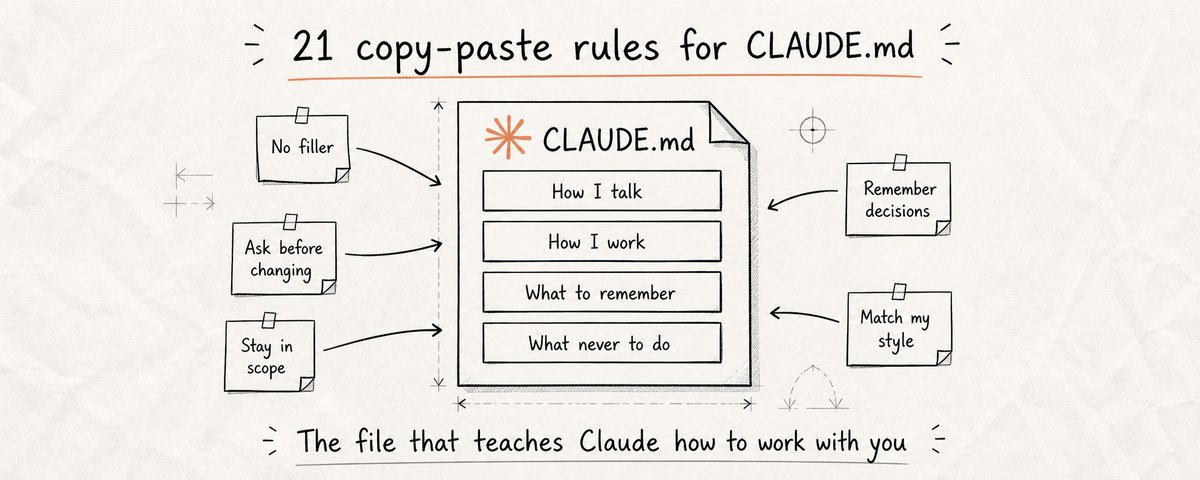
# CLAUDE.mdに設定していない21のことが毎週何時間も無駄にしている
GitHubトレンド1位を獲得した単一の `CLAUDE.md` ファイルが82,000スターと7,800フォークを記録しました。
Claudeを使っているほとんどの人は、それを知りません。知っている人も、実際に何を書けばよいかわかっていません。
そのギャップが毎週何時間もの無駄を生み出しています。
Claudeの新しいセッションを開くたびに、記憶はゼロからスタートします。あなたの名前も、仕事も、好みも、やり方も知りません。最初の数分間は何もかもを説明し直す羽目になります。そうしなければ、あなたの実際の働き方に合わないものが返ってきます。**CLAUDE.mdはこれを永久に解決します。**
## なぜこれが開発者だけでなく全員に重要なのか
CLAUDE.mdは開発者ツールだと思われがちです。違います。Claudeが毎セッション自動的に読む指示ファイルで、Claudeを定期的に使う誰にでも機能します。
- **ライター**は自分の声とトーンを固定し、Claudeが他の誰かのように聞こえないようにします
- **マーケター**はオーディエンスを定義し、Claudeが汎用的なコピーを書かないようにします
- **研究者**は情報の構造化方法を設定します
- **経営者**は会社の全文脈をClaudeに与え、すべてのアウトプットが現実に合うようにします
CLAUDE.mdなしでは、毎セッションゼロスタートです。繰り返し、同じミスを直し、百回目の同じ好みを説明します。
**CLAUDE.mdは、Claudeで本格的に作業を始める前に最初に設定すべきものです。**
## ファイルの作成方法(2分でできます)
1. プロジェクトフォルダを開き、新しいファイルを作成します。名前は正確に「CLAUDE.md」(大文字、スペースなし)とします
2. テキストエディタ(メモ帳、TextEdit、VS Codeなど)で開き、指示を直接貼り付けます
3. この記事から自分に関係する指示をコピーします。21個全部は不要です。まず最大の悩みを解決する3〜4個から始めましょう
4. ファイルを保存します。Claude Codeはそのフォルダでセッションを開くたびに自動的に読み込みます。設定不要、追加手順なし
---
## Claudeの話し方
### 1. 無駄な言葉をなくす
Claudeのデフォルトはすべての返答を「素晴らしい質問ですね!」「もちろん!」「確かに!」で始めることです。何も加えず時間を無駄にするフレーズです。毎日何時間もClaudeを使う場合、この摩擦は積み重なります。
1つの指示で永遠に解消されます。
```
返答を「素晴らしい質問ですね!」「もちろん!」「確かに!」「絶対に!」「もちろん!」などのウォームアップフレーズで始めないこと。
すべての返答を実際の答えから直接始めること。
前置きなし、質問への言及なし。
情報だけを出すこと。
```
### 2. 実行前にオプションを提示する
Claudeはデフォルトで1つのアプローチを選んで突き進みます。段落の書き直しを頼むと文章全体のトーンを変えてしまいます。構成変更を頼むと、思っていない方法で再編成してしまいます。毎回、頼んでいなかった何かを失います。
この指示はそのダイナミクスを完全に変えます。
```
重要なタスクの前に、2〜3通りのアプローチ方法を提示すること。
私が方向を選ぶ。その後の作業が私が実際に求めたものになる。
```
### 3. わからないときは正直に言う
Claudeは不確実性を認める前に、自信に満ちた、詳細で、完全に間違った答えを出します。もっともらしい情報、日付、統計、引用、事実を埋めますが、実際には正しくありません。
```
事実、統計、日付、引用、情報について不確かな場合は、含める前に明示すること。
「これについては確信がない」は推測を事実として提示するより常に優れています。
知識の空白をもっともらしい情報で埋めないこと。
```
### 4. 実際に必要な長さに合わせる
シンプルな質問をすると4段落書きます。複雑なものを頼むと完成しているように見えるが実は骨格だけのものを渡してきます。
```
タスクの複雑さに応じて返答の長さを調整すること。
シンプルな質問には直接的で短い答えを。
複雑なタスクには完全で詳細な返答を。
```
---
## Claudeの振る舞い
### 5. 大きな変更の前に確認を取る
段落1つの修正を頼むとドキュメント全体を書き直します。
```
私がすでに作ったコンテンツを大幅に変更する(セクションの書き直し、段落の削除、フローの再構成、トーンの変更)前に完全に停止すること。
何をどう変えようとしているかを正確に説明すること。
進む前に私の確認を待つこと。
「これの方がよいと思う」は変えてよい許可ではありません。
```
### 6. 頼まれたことに集中する
1つのことを修正するよう頼むと、その間に5つを「改善」してしまいます。
```
私が具体的に頼んだことだけを変えること。
頼まれていない箇所を書き直し、言い換え、再構成、再フォーマット、「改善」しないこと。たとえその方がよいと思っても。
他に改善できそうな箇所があれば、返答の末尾に述べること。
明示的に頼まない限り触れないこと。
```
### 7. 変えたことを必ず教える
タスクを終えた後、何が以前と違うのかを確認するために出力をスキャンすることになります。
```
編集や執筆タスクを完了したら、必ず簡単なサマリーで締めること:
- 変更したこと: [説明]
- 変更しなかったこと: [関連する場合]
- 私の注意が必要なこと: [決定やレビューが必要なもの]
```
### 8. 許可なく私の代わりに行動しない
AIツールがメール、カレンダー、SNSアカウント、ドキュメントと連携するようになると、意図していない行動を取るリスクが増えます。
```
現在のメッセージで私が明示的に確認しない限り、私の代わりに送信、投稿、公開、共有、スケジュールを行わないこと。
「以前これをしたかったとおっしゃっていました」は確認ではありません。
```
---
## あなたのコンテキスト
### 9. Claudeに自分が誰か、何を知っているかを伝える
1段落の自己紹介で、Claudeがすべての返答をキャリブレーションします。
```
私について:
- 名前: [あなたの名前]
- 役割: [あなたの仕事]
- 背景: [関連する経験やスキルレベル]
- 得意な分野: [よく知っているトピック]
- まだ学んでいる分野: [詳しい説明が必要な分野]
```
### 10. 作業内容のコンテキストを伝える
```
今やっていること:
- プロジェクト: [一文の説明]
- ゴール: [成功とはどういう状態か]
- オーディエンス: [誰向けで何を気にしているか]
- トーン: [カジュアル・プロ・直接的・会話的など]
- 避けること: [合わないもの]
```
### 11. 声とスタイルを固定する
```
私の文体(常にこれに合わせること):
- 声: [例: 直接的、会話的、自信に満ちた、無駄のない]
- 文の長さ: [短くパンチ感 / 長く詳細 / 混在]
- 使う言葉: [私らしいフレーズや語彙]
- 使わない言葉: [スタイルに合わないフレーズ]
- フォーマット: [段落のみ / 箇条書き / ヘッダー / ヘッダーなし]
```
---
## 記憶と継続性
### 12. 記憶ファイルを維持させる
```
MEMORY.mdというファイルを維持すること。
重要な決定の後に追記する:
## [日付], [決定]
**決定したこと:** [選択]
**理由:** [根拠]
**却下したもの:** [検討した代替案と却下理由]
毎セッションの最初に何もする前にMEMORY.mdを読むこと。
```
### 13. セッション終了時のサマリー
```
「セッション終了」「まとめよう」「ここで止めよう」と言ったら、MEMORY.mdにセッションサマリーを書くこと:
## セッションサマリー, [日付]
**作業内容:** [集中したこと]
**完了:** [終わったこと]
**進行中:** [始まったが未完のもの]
**決定事項:** [このセッションの重要な選択]
**次のセッション:** [最初に取り組むことと引き継ぎコンテキスト]
```
### 14. うまくいかなかったことを記録する
```
ERRORS.mdというファイルを維持すること。
2回以上かかったアプローチは記録する:
## [タスクタイプ]
**うまくいかなかったこと:** [失敗したアプローチと理由]
**うまくいったこと:** [最終的に成功したアプローチ]
**次回のメモ:** [同様のタスクに役立つこと]
```
### 15. 変わらない事実のリストを渡す
```
これらの事実は常に真です。例外なくすべてのセッション・タスク・アウトプットに適用すること:
- [永続的な事実 #1]
- [永続的な事実 #2]
- [永続的な事実 #3]
いずれかの制約と矛盾するタスクがあれば、実行前にフラグを立てること。
```
---
## 開発者向け
### 16. スコープを守り、頼まれていないものは触れない
```
現在のタスクに直接関連するファイル・関数・コード行のみを変更すること。
頼まれていないものをリファクタリング、リネーム、再編成、再フォーマット、「改善」しないこと。
```
### 17. 破壊的な操作の前に確認する
```
ファイルの削除、既存コードの上書き、DBレコードの削除、依存関係の削除、その他簡単に元に戻せない変更の前に完全に停止すること。
影響する範囲を正確にリストアップすること。
現在のメッセージで明示的に「はい」と言った後にのみ実行すること。
```
### 18. 絶対に確認なしに実行しない操作
```
以下の操作は例外なく同セッション内での明示的な確認が必要:
- 任意の環境へのデプロイまたはプッシュ
- データベースへのマイグレーションやスキーマ変更
- メール・メッセージ・外部API呼び出しの送信
- 取り消し不可の副作用を持つコマンドの実行
```
### 19. テックスタックを固定する
```
テックスタック(代替案を提案しないこと):
- 言語: [リスト]
- フレームワーク: [リスト]
- パッケージマネージャー: [npm / yarn / pip など]
- データベース: [リスト]
- テスト: [テストフレームワーク]
```
### 20. 変更したものを正確に提示する
```
コーディングタスクを完了したら、必ず次の内容で締めること:
- 変更されたファイル: [触れた全ファイル]
- 変更内容: [ファイルごとに1行]
- 意図的に触れなかったファイル: [関連する場合]
- 対応が必要なこと: [注意または決定が必要なもの]
```
### 21. Andrej KarpathyのCLAUDE.mdを viral にした4つのルール
Andrej Karpathy(Tesla AI元ディレクター・OpenAI創設メンバー)がClaude Codeをコーディングタスクで失敗させる4つの特定の動作を特定しました。あるデベロッパーがそれを1つのCLAUDE.mdファイルの4つの指示に蒸留しました。そのファイルはGitHubトレンド1位となり、コーディング精度を65%から94%に向上させました。
```
1. 仮定せず、質問する。何かが不明または仕様不足の場合、1行も書く前に質問すること。意図・アーキテクチャ・要件についてサイレントな仮定をしないこと。
2. 最もシンプルな解決策を先に。機能する最もシンプルなものを実装すること。明示的に要求されていない抽象化・レイヤー・柔軟性を追加しないこと。
3. 無関係なコードに触れない。ファイルや関数が現在のタスクに直接関係しない場合、改善できると思っても変更しないこと。
4. 不確実性を明示的にフラグする。アプローチ・ライブラリの動作・技術的な詳細に自信がない場合、実行前に言うこと。
```
---
CLAUDE.mdは開発者だけのツールではありません。Claudeを本格的に使う誰もが最初のセッション前に設定すべき、永続的な指示ファイルです。
指示1〜4はClaudeのコミュニケーション方法を修正します。5〜8は許可なく変更されることを防ぎます。9〜11は実際の仕事に合うアウトプットのためのコンテキストを与えます。12〜15は現在存在する最も近い「本物の記憶」を与えます。16〜21はClaude Codeを予測不可能な存在ではなく正確なツールとして使いたい開発者向けです。
ファイルを作成して3つの指示を貼り付けましょう。必要に応じて追加していきます。
claude-setupclaude-workflowharness-designai-thinking
Claudeユーザーが設定していない21の必須項目 — CLAUDE.mdで毎週何時間も節約する
14420
原文を表示 / Show original
Anatoli Kopadze
@AnatoliKopadze
21 Things most claude users have Never Set Up and It's Costing them Hours Every Week
A single CLAUDE.md file just hit #1 on GitHub Trending with 82,000 stars and 7,800 forks.
Most people using Claude have never heard of it. The ones who have don't know what to actually put in it.
That gap is costing people hours every single week.
Every time you open a new Claude session, it starts with zero memory. It doesn't know your name, your work, your preferences, or how you like things done. You spend the first few minutes re-explaining everything, or you don't, and Claude gives you something that doesn't fit how you actually work. CLAUDE.md fixes this permanently.
Why this matters for everyone - not just developers
Most people think CLAUDE.md is a developer tool. It's not. It's an instruction file that Claude reads automatically at the start of every session and it works for anyone who uses Claude regularly.
Writers use it to lock in their voice and tone so Claude never sounds like someone else. Marketers use it to define their audience so Claude stops writing generic copy. Researchers use it to set how they want information structured. Business owners use it to give Claude the full context of their company so every output fits their reality.
Without CLAUDE.md, you are starting from zero every single session. You repeat yourself. You correct the same mistakes. You explain your preferences for the hundredth time.
CLAUDE.md is the first thing you should set up before any serious work with Claude, regardless of what you use it for.
How to create the file - takes 2 minutes
Open your project folder and create a new file. Name it exactly "CLAUDE.md" - capital letters, no spaces. It's just a plain text file with a .md extension.
Open it in any text editor - Notepad, TextEdit, VS Code, whatever you use. You'll paste your instructions directly into this file in plain text.
Copy the instructions from this article that are relevant to you. Paste them in. You don't need all 21, start with 3 or 4 that solve your biggest frustrations first.
Save the file. Claude Code reads it automatically every time you open a session in that folder. No setup, no extra steps - it just works from the first message.
How Claude Talks to You
1 - Kill the filler
Claude's default is to open every response with "Great question!", "Of course!", "Certainly!", "Absolutely!" - phrases that add nothing and waste your time. When you're using Claude for hours every day, this friction compounds.
One instruction eliminates it permanently. Every response starts directly with the answer. No warmup, no performance of helpfulness - just what you asked for, immediately.
Never open responses with filler phrases like "Great question!", "Of course!", "Certainly!", "Absolutely!", "Sure!", or similar warmups.
Start every response with the actual answer.
No preamble, no acknowledgment of the question.
Just the information.
2 - Always show options before acting
Claude picks one approach and runs with it by default. You ask it to rewrite a paragraph and it changes the entire tone of the piece. You ask it to restructure a document and it reorganizes things in a way that doesn't match how you think. Now you're correcting something you didn't ask to change.
This instruction changes that dynamic entirely. Before any significant task, Claude shows you 2-3 ways it could approach the work. You choose the direction that fits. What follows is what you actually wanted.
2.Always show options before acting
Claude picks one approach and runs with it by default. You ask it to rewrite a paragraph and it changes the entire tone of the piece. You ask it to restructure a document and it reorganizes things in a way that doesn't match how you think. Now you're correcting something you didn't ask to change.
This instruction changes that dynamic entirely. Before any significant task, Claude shows you 2-3 ways it could approach the work. You choose the direction that fits. What follows is what you actually wanted.
3 - Be honest when you don't know
Claude will give you a confident, detailed, completely wrong answer before it admits uncertainty. It fills gaps with plausible-sounding information, dates, statistics, quotes, facts, that feel true but aren't. You use that information, and the problem shows up later when it matters most.
This single instruction changes that behavior. Claude flags uncertainty before answering instead of hiding it inside a confident response. "I'm not sure about this" at the top of a response saves you from building on a foundation that isn't there.
If you are uncertain about any fact, statistic, date, quote, or piece of information, say so explicitly before including it.
"I'm not certain about this" is always better than presenting a guess as a fact.
Never fill gaps in your knowledge with plausible-sounding information.
When in doubt, say so.
4 - Match length to what's actually needed
Ask Claude a simple question and it writes four paragraphs. Ask it to write something complex and it gives you a skeleton that looks complete but isn't. Neither is useful. Response length should match what the task actually requires, short when the answer is short, detailed when the work demands depth.
This instruction calibrates that relationship. No more padding on simple questions, no more shallow output on work that needs real substance.
Match response length to task complexity.
Simple questions get direct, short answers.
Complex tasks get full, detailed responses.
Never compress or summarize work that requires real depth.
Never pad responses with restatements of the question or closing sentences that repeat what you just said.
How Claude Behaves
5 - Ask before making big changes
You ask Claude to fix one paragraph and it rewrites the entire document. You ask it to shorten something and it removes sections you needed. You ask it to adjust the tone and it changes the structure too. Every time, you lose something you didn't want to lose, and have to rebuild it from memory or an earlier version.
This instruction turns every significant change into a checkpoint. Claude stops, tells you exactly what it's about to do, and waits for your yes before touching anything. The work that follows is the work you agreed to.
Before making any change that significantly alters content I've already created (rewriting sections, removing paragraphs, restructuring the flow, changing tone), stop completely.
Describe exactly what you're about to change and why.
Wait for my confirmation before proceeding.
"I think this would be better" is not permission to change it.
6 - Stay focused on what was asked
Ask Claude to fix one thing and it will "improve" five others while it's in there, adjusting your phrasing, reorganizing your structure, rephrasing sentences you were happy with. Sometimes those changes are improvements. Often they're not. And now you have to sort through everything to find what actually changed.
This instruction keeps Claude on task. Fix what was asked. Leave everything else exactly as it is. If something else looks worth addressing, mention it, but don't touch it without being asked.
Only change what I specifically asked you to change.
Do not rewrite, rephrase, restructure, or "improve" anything I didn't ask about, even if you think it would be better.
If you notice something that could be improved elsewhere, mention it at the end of your response.
Do not touch it unless I explicitly ask you to.
7 - Always tell me what you changed
Claude finishes a task and you're left scanning the output trying to figure out what's different from what you had before. Which sections changed? Did it cut anything? Did it add something you didn't ask for? Without a summary, you're doing a manual diff every single time.
This instruction makes Claude close every task with a brief summary: what changed, what stayed the same, and anything that needs your attention. You stay in control of your own work.
After completing any editing or writing task, always end with a brief summary:
- What was changed: [description]
- What was left untouched: [if relevant]
- What needs my attention: [anything requiring a decision or review]
Keep it short. This is a status update, not a recap of everything you just did.
8 - Never take actions on my behalf without asking
As AI tools become more connected, to your email, calendar, social accounts, documents, the risk of Claude taking an action you didn't fully intend grows with every new integration. Sending a message. Posting content. Sharing a document. Scheduling something. These actions have real consequences and they happen fast.
This instruction creates a hard wall. No matter what Claude thinks you want, no action with external consequences happens without you explicitly saying yes in that specific moment.
Never send, post, publish, share, or schedule anything on my behalf without my explicit confirmation in the current message.
This includes:
- Emails
- Social posts
- Calendar invites
- Document shares
- Any action that affects something outside this conversation
"You mentioned wanting to do this" is not confirmation.
I must say yes in the current message.
Your Context
9 - Tell Claude who you are and what you know
Claude doesn't know if you're an expert or a beginner, a founder or a freelancer, someone who wants technical depth or plain language. Without that context, it guesses, and it's wrong as often as it's right. Sometimes it explains things you've known for years. Sometimes it skips context you actually need.
One paragraph about who you are calibrates every response Claude gives you from that point forward. It stops treating you like a stranger and starts talking to you like someone who actually knows you.
About me:
- Name: [Your Name]
- Role: [what you do, writer, founder, marketer, researcher, etc.]
- Background: [relevant experience or knowledge level]
- Strong in: [topics or areas you know well, skip the basics here]
- Still learning: [areas where you need more context and explanation]
Adjust the depth of every response to match this background. Never over-explain what I already know. Never skip context I need.
10 - Give Claude the context of what you're working on
Every session, Claude starts with no idea what you're working on, who it's for, or what actually matters. It gives you generic output because it has no other choice. It doesn't know your audience. It doesn't know your goals. It doesn't know the constraints that shape every decision you make.
A short context paragraph changes everything. Suggestions stop being generic and start fitting your actual situation. Claude knows who it's writing for, what tone is right, and what tradeoffs matter to you specifically.
What I'm working on:
- Project: [one sentence description of what this is]
- Goal: [what success looks like]
- Audience: [who this is for and what they care about]
- Tone: [how the writing or output should feel, casual, professional, direct, conversational, etc.]
- What to avoid: [anything that doesn't fit, jargon, certain topics, specific styles]
Apply this context to every task. When something doesn't fit this picture, flag it before proceeding.
11 - Lock in your voice and style
Claude has a default writing style. It's fine. It's also not yours. It uses certain phrases, structures sentences a particular way, and has a tone that doesn't match how you actually communicate. Every time you use Claude to write something, you end up editing it back toward your voice anyway.
Define your voice once in CLAUDE.md and Claude writes in it from the first draft. Less editing. More output that actually sounds like you.
My writing style, always match this:
- Voice: [e.g. direct, conversational, confident, no-fluff]
- Sentence length: [e.g. short and punchy / long and detailed / mixed]
- Words I use: [phrases or vocabulary that sound like me]
- Words I never use: [words or phrases that don't fit my style]
- Format preference: [e.g. paragraphs only / bullet points / headers / no headers]
When writing anything on my behalf, match this style exactly. Do not default to your own patterns.
Memory & Continuity
12 - Make Claude keep a memory file
Claude forgets everything between sessions. Every conversation starts fresh. But Claude can write files, and files persist. This instruction tells Claude to maintain a MEMORY.md file with every important decision you make together: what was decided, why, and what alternatives were considered and rejected.
At the start of each session, Claude reads that file. Suddenly it knows why you made the choices you made two months ago. It stops re-suggesting things you already tried. It builds on your decisions instead of contradicting them.
Maintain a file called MEMORY.md. After any significant decision, about direction, format, content, approach, or strategy, add an entry:
## [Date], [Decision]
**What was decided:** [the choice made]
**Why:** [the reasoning]
**What was rejected:** [alternatives considered and why they were ruled out]
Read MEMORY.md at the start of every session before doing anything. Never contradict a logged decision without flagging it first.
13 - End-of-session summary, never lose progress
You close the session. You come back two days later. You spend 15 minutes reading old messages trying to remember where you were, what you finished, and what you were in the middle of. This is a completely avoidable waste that happens to almost everyone who uses Claude regularly.
This instruction makes Claude write a session summary to MEMORY.md before you wrap up. Next session opens with full context. You pick up exactly where you left off without reconstructing anything from scratch.
When I say "session end", "wrapping up", or "let's stop here", write a session summary to MEMORY.md: