
記事一覧へ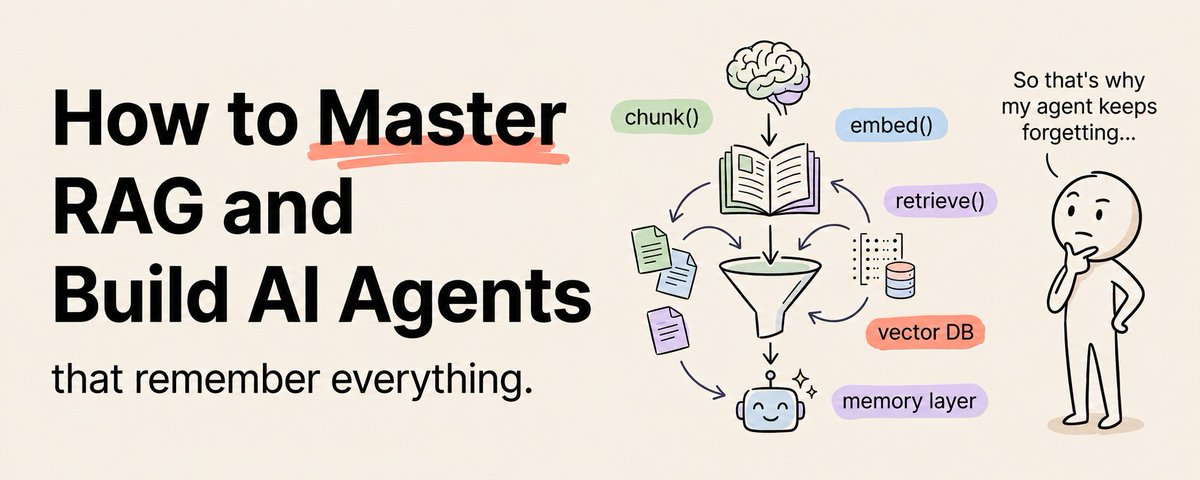
# RAG をマスターして「すべてを記憶する AI エージェント」を構築する(フルコース)
ほとんどの AI エージェントを本番稼働前に殺してしまう問題が 1 つあります。
モデルがあなたのデータを知らないということです。
会社の製品を知らない。ドキュメントを知らない。顧客の履歴を知らない。トレーニングデータに含まれていないものは何も知らない。
そしてほとんどのビジネスアプリケーションでは、価値は「あなたの」データの中にあります。インターネットのデータではなく、あなたのデータです。
RAG(Retrieval-Augmented Generation)がこれを解決します。あらゆる AI モデルに、特定のデータ(ドキュメント・データベース・ナレッジベース・Wiki・会話記録)へのアクセスを与え、そのデータを信頼の源として質問に答えたりタスクを完了したりできるようにします。
RAG がなければ、AI アシスタントは博識な見知らぬ人です。RAG があれば、会社がこれまでに作成したすべてのドキュメントを読んだ同僚になります。
このコースでは RAG をゼロから教えます。最後まで学べば、精度と引用付きで「あなたの」データから回答する AI エージェントを構築できるようになります。
## RAG が実際に何をするか(わかりやすく説明)
「エンタープライズ顧客の返金ポリシーは何ですか?」と Claude に聞いたとします。
RAG なしでは、Claude は返金ポリシーを知りません。「知りません」と言うか、もっともらしいが間違った何かをハルシネーションします。
RAG があると、アプリケーションは次の処理を行います:
Step 1: 質問を受け取り、その意味を捉える数学的表現(埋め込み)に変換します。
Step 2: ドキュメントコレクションを検索して、質問に最も関連するチャンクを見つけます(返金ポリシードキュメント・エンタープライズ利用規約・顧客サポートガイドラインなど)。
Step 3: 関連するチャンクを質問と一緒に Claude に渡します。
Step 4: Claude が関連ドキュメントを読み、そのドキュメントに書かれていることに基づいて質問に答えます。
結果:実際のドキュメントに基づいた正確で根拠のある回答で、情報の出所を正確に引用できます。
RAG はモデルをファインチューニングしません。モデルを変えません。モデルが応答を生成する瞬間にアクセスできる情報を変えるのです。質問する前に参考文献を渡すようなものです。本を暗記するのではなく、関連するセクションを引き出します。
## RAG パイプライン:5 つのステージ
すべての RAG システムは同じパイプラインに従います。この 5 つのステージを理解することが、あらゆる RAG アプリケーションを構築するための基礎です。
### ステージ 1:ドキュメントの取り込み
データは多くの形式で存在します。PDF・Word ドキュメント・Web ページ・データベース・スプレッドシート・Slack メッセージ・メールアーカイブ。RAG がこのデータを使用する前に、システムが処理できる形式に変換する必要があります。
取り込みプロセス:
- ソースドキュメントを収集します。PDF にはテキスト抽出が必要。Word ドキュメントにはパースが必要。Web ページには HTML 除去が必要。データベースにはクエリエクスポートが必要。
- テキストをクリーニングします。意味を加えないヘッダー・フッター・ナビゲーション要素・フォーマットのアーティファクトを除去します。
- チャンキング(分割) — RAG システム全体で最も重要な決定です。
モデルにはコンテキスト制限があり、ドキュメント全体よりも小さな焦点を絞ったチャンクの方が精密な検索結果を生み出すため、ドキュメントを小さなチャンクに分割する必要があります。
チャンキング戦略:
- **固定サイズのチャンク**:500 トークンごとにテキストを分割。シンプルですが、文や段落の途中で分割されて意味が壊れることがあります。
- **セマンティックチャンク**:段落の区切り・セクションヘッダー・トピックの遷移など自然な境界で分割。意味を保ちますが、チャンクサイズが不均等になります。
- **再帰的チャンキング**:まず段落で分割を試みる。チャンクがまだ大きすぎれば文で分割。それでも大きすぎれば固定文字数で分割。最もオールマイティなアプローチ。
- **重複チャンク**:各チャンクが前のチャンクと 50〜100 トークン重複。チャンク境界をまたぐ情報が失われないようにします。ストレージが若干増えますが、検索品質が大幅に向上します。
ほとんどのエージェントに最適なのは:50〜100 トークンの重複付きで 1 チャンク 300〜500 トークン。小さすぎるとチャンクにコンテキストが不足。大きすぎると検索結果に無関係な情報が混入します。
### ステージ 2:埋め込み
各チャンクをベクトル(意味を捉える数学的表現)に変換する必要があります。これを埋め込みといいます。
同じようなトピックを扱う 2 つのチャンクは、まったく異なる単語を使っていても似たようなベクトルを持ちます。埋め込みはキーワードではなく意味を捉えます。
どの埋め込みモデルを使うか:
ほとんどのアプリケーションでは、OpenAI の text-embedding-3-small や好みのプロバイダーの同等品など、実績のある埋め込みモデルを使用してください。高品質の埋め込みを低コストで生成します。
専門ドメイン(医療・法律・金融)では、そのフィールドのテキストでトレーニングされたドメイン固有の埋め込みモデルを検討してください。
各チャンクを埋め込み、元のテキストと一緒にベクトルを保存します。検索にはベクトルが、モデルに渡すにはテキストが必要です。
### ステージ 3:ストレージ
チャンクとそのベクトルを保存する場所が必要です。これをベクトルデータベースといいます。
複雑さ別のオプション:
- 学習と小規模プロジェクト:**Chroma**。オープンソース・ローカル実行・シンプルな API。始めるのに最適。
- 本番アプリケーション:**Pinecone**・**Weaviate**・**Qdrant**。スケーリング・バックアップ・パフォーマンス最適化を管理するマネージドサービス。
- 既存 PostgreSQL ユーザー:**pgvector 拡張機能**。別のシステムをデプロイせずに既存データベースにベクトル検索を追加。
### ステージ 4:検索
ユーザーが質問すると、検索ステージがデータベースから最も関連するチャンクを見つけます。
プロセス:ドキュメントに使用した同じ埋め込みモデルでユーザーの質問を埋め込む → 最も類似したチャンクをベクトルデータベースで検索 → 上位 3〜10 件の最も関連するチャンクを返す。
検索品質の改善:
- **ハイブリッド検索**:ベクトル類似検索と従来のキーワード検索を組み合わせる。
- **メタデータフィルタリング**:検索前に関連するメタデータでフィルタリング。
- **リランキング**:初期検索後、関連性で結果を再ランク付けする 2 回目のパスを実行。
### ステージ 5:生成
最後のステージは、取得したチャンクとユーザーの質問、提供されたドキュメントに基づいて回答するよう Claude に指示するシステムプロンプトを渡します。
システムプロンプトの構造:
```
あなたは提供されたコンテキストドキュメントに基づいて質問に答える役立つアシスタントです。
ルール:
- 提供されたコンテキストの情報「のみ」に基づいて回答する
- コンテキストに質問に完全に答えるのに十分な情報が含まれていない場合は、明示的にそう言う
- すべての主張について、ソースドキュメントを引用する
- コンテキストにない情報を作り上げない
- コンテキストに相反する情報が含まれている場合は、両方の視点を提示して矛盾を指摘する
コンテキストドキュメント:
{retrieved_chunks}
ユーザーの質問:{question}
```
コンテキストからのみ回答するよう明示的に指示することが重要です。指示がないと、Claude は一般的な知識で補足します。
## 最初の RAG アプリケーションを構築する
ここに最小限の実行可能な RAG システムを示します。まずこれを構築して、それから洗練させていきましょう。
Step 1: ドメインから 10〜20 のドキュメントを収集。製品ドキュメント・FAQ・ポリシードキュメント。
Step 2: 400 トークンのチャンクと 100 トークンの重複で再帰的チャンキングを使用。
Step 3: 埋め込み API で各チャンクを埋め込み。チャンクとベクトルを Chroma に保存。
Step 4: クエリを埋め込み・上位 5 件の最も類似するチャンクを Chroma で検索・それらを返す検索関数を構築。
Step 5: 取得したチャンクとユーザーの質問を取り込み・上記のシステムプロンプトでプロンプトを構築し・Claude に送信する生成関数を構築。
Step 6: シンプルなインターフェースを構築 — 質問のテキスト入力と回答の表示エリア。
Step 7: 答えを知っている 20 の質問でテスト。システムの答えと正解を比較。どこで失敗し、なぜかを特定。
この最小システムは週末で構築できます。完璧ではありません。でも機能します。そしてここからのすべての改善は段階的です。
## 最も一般的な RAG の失敗 5 例(それぞれの解決策)
**失敗 1:間違ったチャンクが取得される**
質問に関連しないチャンクが返される。答えが間違いか一般的すぎる。
修正:チャンキング戦略を改善する。チャンクが大きすぎると関連する部分と並んで無関係な情報が含まれる。小さすぎると十分なコンテキストが欠如する。ハイブリッド検索を実装してキーワード固有のクエリをカバーする。
**失敗 2:答えが取得されたチャンクにない**
答えはドキュメントに存在するが、関連するチャンクが上位結果に含まれなかった。
修正:取得するチャンク数を増やす(5 から 10 または 15 へ)。リランキングを実装して最も関連するチャンクをトップに。チャンキング戦略が関連情報を 2 つのチャンクに分割していないか確認 — 分割している場合は重複を増やす。
**失敗 3:コンテキストがあるのにハルシネーション**
Claude がドキュメントから来たかのように提示しながら、提供されたコンテキストにない情報を生成する。
修正:システムプロンプトを強化する。「提供されたコンテキストからのみ回答すること。コンテキストに答えがない場合は『提供されたドキュメントにはこの情報がありません』と言うこと」と非常に明確に。
**失敗 4:重複チャンクが結果を膨らませる**
取得されたチャンクに同じ情報の複数のコピーが現れ、他の関連チャンクを押し出す。
修正:取り込み時に重複排除を追加。各チャンクをハッシュし、重複をスキップ。
**失敗 5:古いデータ**
ドキュメントが変わったがベクトルデータベースには古いバージョンが残っている。
修正:更新パイプラインを実装。ソースドキュメントが更新されたら、変更されたドキュメントを再取り込みして再埋め込みする。
## MVP から本番へ
週末の RAG システムが動いています。本番グレードにするために:
- **認証を追加**:ユーザーが自分に権限があるドキュメントのみにアクセスできるようにする。
- **引用元を追加**:すべての回答に特定のソースドキュメントへのリンクまたは参照を含める。
- **フィードバック収集を追加**:ユーザーが回答を役に立つかどうか評価できるようにする。
- **モニタリングを追加**:クエリ量・検索品質・回答品質・レイテンシ・エラー率を追跡する。
- **ドキュメント更新パイプラインを追加**:ソースドキュメントが変わったとき、RAG システムが自動的に変更を検出・変更されたドキュメントを再処理・ベクトルデータベースを更新する。
## 結論
RAG は汎用 AI とあなたの特定ドメインを結ぶ橋です。RAG なしでは、AI は一般的な回答をします。RAG があれば、実際のデータに根ざした回答をします。
パイプラインは明快です:ドキュメントを取り込み・チャンクに分割し・埋め込み・ベクトルデータベースに保存し・各クエリの関連チャンクを取得し・それらのチャンクから回答を生成する。
今週末に最小限のシステムを構築してください。テストして。失敗を修正して。本番機能を段階的に追加していきましょう。
すべてのビジネスには、誰も読まないドキュメントに閉じ込められた知識があります。RAG はその閉じ込められた知識を、瞬時に正確に質問に答える AI システムに変えます。
ai-thinkingagent-opsclaude-workflow
RAG 完全マスター — 「すべてを記憶する AI エージェント」構築フルコース
25742
原文を表示 / Show original
Khairallah AL-Awady
How to Master RAG and Build AI Agents That Remember Everything (Full Course)
134K
There is one problem that kills most AI Agents before they ever reach production.
Save this :)
The model does not know your data.
It does not know your company's products. It does not know your documentation. It does not know your customer history. It does not know anything that is not in its training data.
And for most business applications, the value lives entirely in YOUR data. Not the internet's data. Yours.
RAG (Retrieval-Augmented Generation) fixes this. It gives any AI model access to your specific data - documents, databases, knowledge bases, wikis, transcripts - and lets it answer questions and complete tasks using that data as its source of truth.
Without RAG, your AI assistant is a well-read stranger. With RAG, it is a colleague who has read every document your company has ever produced.
This course teaches you RAG from the ground up. By the end, you will be able to build AI Agents that answer from YOUR data with accuracy and citations.
What RAG Actually Does (In Plain English)
Imagine you ask Claude: "What is our refund policy for enterprise customers?"
Without RAG, Claude does not know your refund policy. It will either say "I do not know" or hallucinate something that sounds plausible but is wrong.
With RAG, your application does this:ƒA
Step 1: Takes your question and converts it into a mathematical representation (an embedding) that captures its meaning.
Step 2: Searches through your document collection to find the chunks that are most relevant to your question - your refund policy document, your enterprise terms of service, your customer support guidelines.
Step 3: Passes those relevant chunks to Claude along with your question.
Step 4: Claude reads the relevant documents and answers your question based specifically on what those documents say.
The result: an accurate, grounded answer based on your actual documentation, with the ability to cite exactly where the information came from.
RAG does not fine-tune the model. It does not change the model at all. It changes what information the model has access to at the moment it generates a response. Think of it like giving someone a reference book before asking them a question - they do not memorize the book, they look up the relevant sections.
The RAG Pipeline: 5 Stages
Every RAG system follows the same pipeline. Understanding these five stages is the foundation for building any RAG application.
Stage 1: Document Ingestion
Your data lives in many formats - PDFs, Word documents, web pages, databases, spreadsheets, Slack messages, email archives. Before RAG can use this data, it needs to be converted into a format the system can process.
The ingestion process:
Collect your source documents from wherever they live. Convert everything to plain text. PDFs need text extraction. Word documents need parsing. Web pages need HTML stripping. Databases need query export.
Clean the text. Remove headers, footers, navigation elements, and formatting artifacts that add noise without adding meaning.
Chunking - the most important decision in your entire RAG system.
Your documents need to be split into smaller chunks because models have context limits and because smaller, focused chunks produce more precise search results than entire documents.
Chunking strategies:
Fixed-size chunks: Split text every 500 tokens. Simple but can split mid-sentence or mid-paragraph, breaking meaning.
Semantic chunks: Split at natural boundaries - paragraph breaks, section headers, topic transitions. Preserves meaning but produces uneven chunk sizes.
Recursive chunking: Try to split at paragraphs first. If a chunk is still too large, split at sentences. If still too large, split at a fixed character count. Best general-purpose approach.
Overlapping chunks: Each chunk overlaps with the previous one by 50 to 100 tokens. Ensures that information spanning a chunk boundary is not lost. Slightly increases storage but significantly improves retrieval quality.
The sweet spot for most Agents: 300 to 500 tokens per chunk with 50 to 100 tokens of overlap. Too small and chunks lack context. Too large and search results are diluted with irrelevant information.
Stage 2: Embedding
Each chunk needs to be converted into a vector - a mathematical representation that captures its meaning. This is called embedding.
Two chunks that discuss similar topics will have similar vectors, even if they use completely different words. The embedding captures meaning, not just keywords.
Which embedding model to use:
For most applications, use an established embedding model like text-embedding-3-small from OpenAI or the equivalent from your preferred provider. These produce high-quality embeddings at low cost.
For specialized domains (medical, legal, financial), consider domain-specific embedding models that are trained on text from that field. They understand domain vocabulary and relationships better than general models.
Embed every chunk and store the vector alongside the original text. You will need both: the vector for searching, the text for passing to the model.
Stage 3: Storage
You need a place to store your chunks and their vectors. This is called a vector database.
Options by complexity:
For learning and small projects: Chroma. Open-source, runs locally, simple API, perfect for getting started.
For production applications: Pinecone, Weaviate, or Qdrant. Managed services that handle scaling, backups, and performance optimization.
For existing PostgreSQL users: pgvector extension. Add vector search to your existing database without deploying a separate system.
Your vector database stores each chunk as a record with the original text, the embedding vector, and metadata (source document name, page number, section, date, and any other attributes useful for filtering).
Stage 4: Retrieval
When a user asks a question, the retrieval stage finds the most relevant chunks from your database.
The process:
Embed the user's question using the same embedding model you used for your documents. Search the vector database for the chunks whose embeddings are most similar to the question embedding. Return the top 3 to 10 most relevant chunks.
Improving retrieval quality:
Hybrid search: Combine vector similarity search with traditional keyword search. Some questions are best answered by semantic similarity, others by exact keyword matches. Hybrid search covers both cases.
Metadata filtering: Before searching, filter by relevant metadata. If the user asks about a specific product, only search chunks from that product's documentation. If they ask about a recent policy, filter by date. Fewer, more relevant chunks beat more, less relevant chunks.
Re-ranking: After the initial retrieval, run a second pass that re-ranks the results by relevance. Cross-encoder models are excellent at re-ranking because they evaluate the relevance of each chunk in the context of the specific question.
Stage 5: Generation
The final stage passes the retrieved chunks to Claude along with the user's question and a system prompt that instructs Claude to answer based on the provided documents.
The system prompt structure:
markdown
You are a helpful assistant that answers questions based on
the provided context documents.
Rules:
- Answer ONLY based on information in the provided context
- If the context does not contain enough information to answer
the question fully, say so explicitly
- Cite the source document for every claim you make
- Never make up information that is not in the context
- If the context contains conflicting information, present
both perspectives and note the conflict
Context documents:
{retrieved_chunks}
User question: {question}
The explicit instruction to answer only from the context is critical. Without it, Claude will supplement with its general knowledge, which may be outdated or incorrect for your specific domain.
Building Your First RAG Application
Here is the minimum viable RAG system. Build this first, then add sophistication.
Step 1: Collect 10 to 20 documents from your domain. Product documentation, FAQs, policy documents - whatever your users would ask questions about.
Step 2: Chunk the documents using recursive chunking with 400-token chunks and 100-token overlap.
Step 3: Embed each chunk using an embedding API. Store the chunks and vectors in Chroma.
Step 4: Build the retrieval function that embeds a query, searches Chroma for the top 5 most similar chunks, and returns them.
Step 5: Build the generation function that takes the retrieved chunks and the user's question, constructs the prompt with the system prompt above, and sends it to Claude.
Step 6: Build a simple interface - a text input for questions and a display area for answers. Use Next.js or even a simple command-line interface.
Step 7: Test with 20 questions that you know the answers to. Compare the system's answers against the correct answers. Identify where it fails and why.
This minimum system takes a weekend to build. It will not be perfect. But it will work, and every improvement you make from here is incremental.
The 5 Most Common RAG Failures (And How to Fix Each One)
Failure 1: Wrong chunks retrieved.
The system returns chunks that are not relevant to the question. The answer is either wrong or generic.
Fix: Improve your chunking strategy. If chunks are too large, they contain too much irrelevant information alongside the relevant part. If they are too small, they lack sufficient context. Experiment with chunk sizes. Add metadata filtering to narrow the search space. Implement hybrid search to catch keyword-specific queries that vector search misses.
Failure 2: Answer not in the retrieved chunks.
The answer exists in your documents, but the relevant chunk was not in the top results.
Fix: Increase the number of chunks retrieved (from 5 to 10 or 15). Implement re-ranking to push the most relevant chunks to the top. Check if your chunking strategy splits the relevant information across two chunks - if so, increase overlap.
Failure 3: Hallucination despite having context.
Claude generates information that is not in the provided context, presenting it as if it came from your documents.
Fix: Strengthen the system prompt. Be extremely explicit: "Answer ONLY from the provided context. If the answer is not in the context, say 'This information is not available in the provided documents.'" Add a verification step where Claude quotes the specific passage it is basing each claim on.
Failure 4: Duplicate chunks inflating results.
Multiple copies of the same information appear in the retrieved chunks, pushing out other relevant chunks.
Fix: Add deduplication during ingestion. Hash each chunk and skip duplicates. During retrieval, check for near-duplicate results and remove them before sending to the model.
Failure 5: Stale data.
Your documents change but your vector database still contains old versions.
Fix: Implement a refresh pipeline. When source documents are updated, re-ingest and re-embed the changed documents. Track document versions with metadata. For frequently changing data, schedule regular refresh cycles - daily for fast-changing content, weekly for stable content.
From MVP to Production
Your weekend RAG system works. Here is how to make it production-grade:
Add authentication. Users should be able to create accounts and access only documents they are authorized to see. Document-level access control is critical for any business application.
Add source citations. Every answer should include links or references to the specific source documents. This builds trust and allows users to verify information.
Add feedback collection. Let users rate answers as helpful or not helpful. Use this feedback to identify which documents need better chunking, which questions fail consistently, and where new documentation is needed.
Add monitoring. Track query volume, retrieval quality, answer quality, latency, and error rates. This data drives continuous improvement.
Add a document update pipeline. When source documents change, your RAG system should automatically detect the changes, re-process the modified documents, and update the vector database.
The Bottom Line
RAG is the bridge between general AI and YOUR specific domain. Without it, AI gives generic answers. With it, AI gives answers grounded in your actual data.
The pipeline is straightforward: ingest documents, chunk them, embed them, store in a vector database, retrieve relevant chunks for each query, and generate answers from those chunks.
Build the minimum viable system this weekend. Test it. Fix the failures. Add production features incrementally.
Every business has knowledge trapped in documents that nobody reads. RAG turns that trapped knowledge into an AI system that answers questions instantly and accurately.
The businesses that build RAG systems now will have a knowledge advantage that compounds every day as they add more documents.
Follow me @eng_khairallah1 for more technical deep-dives, building guides, and AI architecture breakdowns.
hope this was useful for you, Khairallah ❤️
134.3K
Views