
記事一覧へ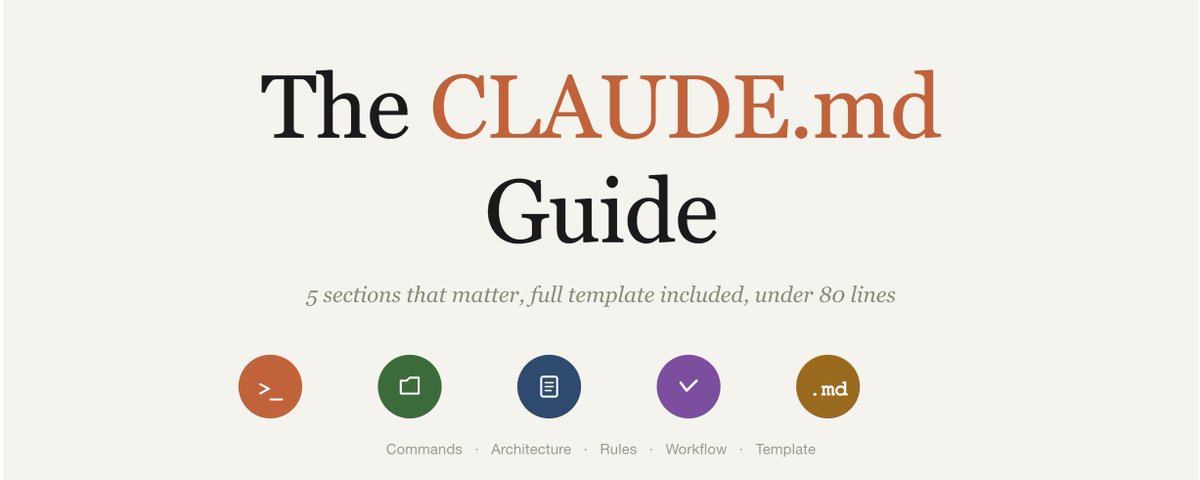
## アウトプットを10倍にしたCLAUDE.mdファイル(全文公開)
すべてのClaude Codeセッションは1つのファイルを読むことから始まります:CLAUDE.mdです。最初のプロンプトの前、コードの前、何かが起きる前に、Claudeはこのファイルを読み、セッション全体の「基準となる真実」として扱います。
ほとんどの人はCLAUDE.mdを持っていないか、300行のパーソナリティ指示が書かれたファイルを持っています。
良いCLAUDE.mdと悪いCLAUDE.mdの違いは、明確なブリーフィングでシニアエンジニアをオンボーディングすることと、ドキュメントなしで新入社員をコードベースに放り込むことの違いです。
実際に機能するCLAUDE.mdの書き方を紹介します。
始める前に:AIとvibe codingに関する日々のノートをTelegramチャンネルで共有しています:https://t.me/zodchixquant
## ほとんどのCLAUDE.mdが機能しない理由
3つの理由があります:
**長すぎる。** モデルが確実に従えるのはおよそ150〜200の指示です。Claude Codeのシステムプロンプトにはすでに約50個が含まれています。つまりCLAUDE.mdが使えるのはせいぜい100〜150の指示で、そこを超えるとClaudeが内容を落とし始めます。200行超のファイルがあるなら、Claudeが意図的にルールを無視しているわけではありません。
**内容が間違っている。** ほとんどの人がCLAUDE.mdをClaudeが自分で判断できることで埋めています。「シニアエンジニアのように振る舞え」や「ステップバイステップで考えろ」といったパーソナリティ指示。Claudeの行動を変えない一般的なアドバイス。特定のミスを防がない行はすべて無駄な指示です。
**階層がない。** CLAUDE.mdは指示を置く唯一の場所ではありません。3つのレベルがあり、ほとんどの人はすべてを1つにまとめています:
```
~/.claude/CLAUDE.md → グローバル(すべてのプロジェクト)
.claude/CLAUDE.md → プロジェクト(チームで共有、git管理)
./CLAUDE.local.md → ローカル(個人的な上書き、gitignore)
```
グローバルはすべてのプロジェクトで繰り返すルール用。プロジェクトはチームが必要とするスタック固有のコンテキスト用。ローカルはあなた個人の好み用です。
3つすべてを使うことで、各ファイルを短くフォーカスしたものにできます。
## 実際に重要な5つのセクション
オープンソースプロジェクト・Anthropic自身のドキュメント・コミュニティのベストプラクティスリポジトリから、本番環境のCLAUDE.mdファイルを数十件調べた結果、効果的なファイルはすべてこの5つをカバーしています:
### 1. 重要なコマンド
Claudeはあなたのプロジェクトのビルド・テスト・lintの方法を知りません=教えてください。
```
## Commands
- Build: `npm run build`
- Dev: `npm run dev`
- Test single file: `npm test -- path/to/file`
- Lint + fix: `npm run lint:fix`
- Type check: `npx tsc --noEmit`
```
短く具体的に。Claudeは推測する代わりにこれらを実行します。このセクションがなければ、あなたのプロジェクトが `pnpm vitest` を使っているのに `npm test` を試み、決して機能しないコマンドのデバッグに3ターンを無駄にします。
### 2. アーキテクチャマップ
Claudeはすべてのセッションをコードベースに関する知識ゼロで始めます。マップを渡してください。
```
## Architecture
- src/lib/services/ → すべてのビジネスロジック
- src/components/ → ステートレスUIコンポーネントのみ
- src/lib/store/ → グローバル状態(Zustand)
- src/app/api/ → APIルート、ここにビジネスロジックなし
- データベースアクセスはServer ActionsまたはAPIルート経由のみ
```
完全なディレクトリリストではありません。Claudeがどこに何があるかを把握するのに十分な量だけです。
### 3. ハードルール(あなたがいないとClaudeが間違えること)
これが最も重要なセクションです。ここのすべてのルールは「この行を削除するとClaudeがミスをするか?」という問いに答えるべきです。
```
## Rules
- .envファイルやシークレットは絶対にコミットしない
- すべての非同期コールはtry/catchを使う
- 関数コンポーネントのみ使用、クラスコンポーネントは禁止
- コミットプレフィックス:feat:, fix:, docs:, refactor:
- すべてのPRはマージ前に `npm run verify` を通過すること
- 静的エクスポートのみ、SSRなし(S3へのデプロイ)
- IMPORTANT: コード変更のたびに型チェックを実行すること
```
注目すべき2点:
1. ネガティブなルール(「.envをコミットしない」)はポジティブなルールと同様に重要
2. IMPORTANTのような強調マーカーは実際に機能する
Anthropicの公式ドキュメントも「IMPORTANT」や「YOU MUST」を追加することで遵守率が向上することを確認しています。
このセクションは15ルール以内に収めてください。
### 4. ワークフローの好み
Claudeにどのように作業してほしいですか?これにより「1行の修正を頼んだのにClaudeがファイル全体を書き直す」問題を防ぎます。
```
## Workflow
- 複雑なタスクを始める前に確認の質問をする
- 最小限の変更を加える、無関係なコードをリファクタリングしない
- 変更のたびにテストを実行し、先に進む前に失敗を修正する
- 論理的な変更ごとに別々のコミットを作成する、1つの巨大コミットにしない
- 2つのアプローチで迷ったら、両方を説明して選択させる
```
### 5. 含めないべきこと
省くものも同様に重要です:
```
## 含めないこと:
- パーソナリティ指示(「シニアエンジニアになれ」)
- リンターがすでに処理するコードフォーマットのルール
- すべてのセッションにドキュメント全体を埋め込む @-imports
- ルールの重複(グローバルに「テストを実行」と書いてあれば、プロジェクトで繰り返さない)
- auto memoryでClaudeが自分で学ぶもの
```
ここでauto memoryは過小評価されています。Claudeは `~/.claude/projects/<project>/memory/` に自分のノートを管理しています。`/memory` を実行してClaudeがすでにあなたのプロジェクトについて学んだことを確認してください。
Claudeが1回のセッションで把握したことにCLAUDE.mdの行を無駄にしないでください。
## 完全なテンプレート(コピーして使用)
コピーして適応できる本番対応のCLAUDE.mdです。60行以内。Claudeが必要とするすべてをカバーし、不要なものは含みません。
```markdown
# CLAUDE.md
## Project
[1行:このプロジェクトが何をするか、誰が使うか]
## Stack
[フレームワーク、言語、データベース、デプロイターゲット]
## Commands
- Dev: `[command]`
- Build: `[command]`
- Test single: `[command] -- [path]`
- Test all: `[command]`
- Lint: `[command]`
- Type check: `[command]`
## Architecture
- [folder] → [何があるか]
- [folder] → [何があるか]
- [folder] → [何があるか]
- [file] → [このファイルが何をするか]
## Rules
- [特定のミスを防ぐルール]
- [特定のミスを防ぐルール]
- [特定のミスを防ぐルール]
- IMPORTANT: [Claudeが繰り返し破るルール1つ]
## Workflow
- [タスクへのアプローチの仕方]
- [コミット規約]
- [テストの期待]
- [いつ質問するか vs いつ行動するか]
## Out of scope
- [Claudeが触れてはいけないもの]
- [手動で管理されているファイル]
- [変更してはいけない統合]
```
該当しないセクションは削除してください。
## すべてを変えるルール
数十のCLAUDE.md設定をテストした後、出力品質に最も大きな違いをもたらした行はこれらです:
```
# 最もインパクトの高い行:
- IMPORTANT: コード変更のたびに型チェックを実行すること
(Claudeが壊れた型を出荷するのを防ぐ)
- 最小限の変更を加える、無関係なコードをリファクタリングしない
(Claudeがファイル全体を書き直すのを防ぐ)
- 論理的な変更ごとに別々のコミットを作成する
(47ファイルのモンスターコミットを防ぐ)
- 不確かな場合は両方のアプローチを説明して選ばせる
(Claudeがあなたのためにアーキテクチャの決定をするのを防ぐ)
- 静的エクスポートのみ、SSRなし
(Claudeが静的サイトにサーバーサイドコードを追加するのを防ぐ)
```
これらはそれぞれ、特定の一般的なミスを防ぎます。
CLAUDE.mdのすべての行のテストはこれです:削除するとClaudeが間違ったことをするか?
## 誰もが犯すミス
CLAUDE.mdをウィッシュリストのように扱っています。
CLAUDE.mdは技術的なブリーフであるべきで、モチベーションスピーチではありません。スタック・コマンド・アーキテクチャ・ルール・ワークフロー。それ以外はすべて、実際に重要な指示と注意を奪い合うノイズです。
80行以内に収めてください。Claudeが何かを間違えたときに見直してください。
ファイルは時間とともに複利します。1か月目の良いCLAUDE.mdは、自分を繰り返す必要をなくします。
6か月目には、プロジェクトでClaudeがこれまで犯したすべてのミスを捉え、それらすべてを自動的に防ぐようになります。
CLAUDE.mdclaude-setupClaude Codeprompt-engineeringworkflow
アウトプットを10倍にしたCLAUDE.mdファイル(全文公開)
12917541,000
原文を表示 / Show original
The CLAUDE.md File That 10x'd My Output (Full File Included)
Every Claude Code session starts by reading one file: CLAUDE.md. Before your first prompt, before any code, before anything happens, Claude reads this file and treats it as ground truth for the entire session.
Most people either don't have one, or theirs is 300 lines of personality instructions.
The difference between a good CLAUDE.md and a bad one is the difference between onboarding a senior engineer with a clear brief and throwing a new hire into a codebase with no documentation.
Here's how to write one that actually works.
Before we dive in, I share daily notes on AI & vibe coding in my Telegram channel: https://t.me/zodchixquant
## Why most CLAUDE.md files don't work
Three reasons:
Too long. Models can reliably follow about 150-200 instructions. Claude Code's system prompt already contains roughly 50. That means your CLAUDE.md gets maybe 100-150 instructions before Claude starts dropping things. If your file is 200+ lines, Claude isn't ignoring your rules on purpose.
Wrong content. Most people fill CLAUDE.md with things Claude can figure out on its own. Personality instructions like "be a senior engineer" or "think step by step." General advice that doesn't change Claude's behavior. Every line that doesn't prevent a specific mistake is a wasted instruction.
No hierarchy. CLAUDE.md isn't the only place to put instructions. There are three levels and most people dump everything into one:
```
~/.claude/CLAUDE.md → Global (every project)
.claude/CLAUDE.md → Project (shared with team, in git)
./CLAUDE.local.md → Local (personal overrides, gitignored)
```
Global is for rules you'd repeat in every project. Project is for stack-specific context your team needs. Local is for your personal quirks.
Using all three keeps each file short and focused.
## The 5 sections that actually matter
After going through dozens of production CLAUDE.md files from open-source projects, Anthropic's own docs, and community best practices repos, every effective file covers these 5 things:
### 1. Critical commands
Claude doesn't know how to build, test, or lint your project = tell it.
```
## Commands
- Build: `npm run build`
- Dev: `npm run dev`
- Test single file: `npm test -- path/to/file`
- Lint + fix: `npm run lint:fix`
- Type check: `npx tsc --noEmit`
```
Short and specific. Claude runs these instead of guessing. Without this section, Claude will try npm test when your project uses pnpm vitest and waste 3 turns debugging a command that was never going to work.
### 2. Architecture map
Claude starts every session with zero knowledge of your codebase. Give it a map.
```
## Architecture
- src/lib/services/ → all business logic
- src/components/ → stateless UI components only
- src/lib/store/ → global state (Zustand)
- src/app/api/ → API routes, no business logic here
- Database access only through Server Actions or API routes
```
Not a full directory listing. Just enough so Claude knows where things live and what goes where.
### 3. Hard rules (the things Claude gets wrong without you)
This is the most important section. Every rule here should answer: "Would removing this line cause Claude to make a mistake?"
```
## Rules
- NEVER commit .env files or secrets
- All async calls must use try/catch
- Use functional components only, no class components
- Prefix commits: feat:, fix:, docs:, refactor:
- All PRs must pass `npm run verify` before merge
- Static export only, no SSR (deployed to S3)
- IMPORTANT: run type check after every code change
```
Two things to notice:
1. negative rules are as important as positive ones ("never commit .env")
2. emphasis markers like IMPORTANT actually work.
Anthropic's own docs confirm that adding "IMPORTANT" or "YOU MUST" improves adherence.
Keep this section under 15 rules.
### 4. Workflow preferences
How do you want Claude to work? This prevents the "Claude rewrites your entire file when you asked for a one-line fix" problem.
```
## Workflow
- Ask clarifying questions before starting complex tasks
- Make minimal changes, don't refactor unrelated code
- Run tests after every change, fix failures before moving on
- Create separate commits per logical change, not one giant commit
- When unsure between two approaches, explain both and let me choose
```
### 5. What NOT to include
Equally important is what you leave out:
```
## Don't include:
- Personality instructions ("be a senior engineer")
- Code formatting rules your linter already handles
- @-imports that embed entire docs into every session
- Duplicate rules (if global says "run tests," project doesn't repeat it)
- Anything Claude will learn on its own via auto memory
```
Auto memory is underrated here. Claude maintains its own notes at ~/.claude/projects/<project>/memory/. Run /memory to see what Claude has already learned about your project.
Don't waste CLAUDE.md lines on things Claude figured out after one session.
## The full template (copy this)
Here's a production-ready CLAUDE.md you can copy and adapt. Under 60 lines. Covers everything Claude needs, nothing it doesn't.
```markdown
# CLAUDE.md
## Project
[One line: what this project does and who uses it]
## Stack
[Framework, language, database, deployment target]
## Commands
- Dev: `[command]`
- Build: `[command]`
- Test single: `[command] -- [path]`
- Test all: `[command]`
- Lint: `[command]`
- Type check: `[command]`
## Architecture
- [folder] → [what lives here]
- [folder] → [what lives here]
- [folder] → [what lives here]
- [file] → [what this file does]
## Rules
- [Rule that prevents a specific mistake]
- [Rule that prevents a specific mistake]
- [Rule that prevents a specific mistake]
- IMPORTANT: [The one rule Claude keeps breaking]
## Workflow
- [How you want Claude to approach tasks]
- [Commit conventions]
- [Testing expectations]
- [When to ask vs when to act]
## Out of scope
- [Things Claude should not touch]
- [Files that are manually maintained]
- [Integrations Claude shouldn't modify]
```
Delete sections that don't apply.
## The rules that change everything
After testing dozens of CLAUDE.md configurations, these are the lines that made the biggest difference in output quality:
```
# The lines with highest impact:
- IMPORTANT: run type check after every code change
(prevents Claude from shipping broken types)
- Make minimal changes, don't refactor unrelated code
(prevents Claude from rewriting your entire file)
- Create separate commits per logical change
(prevents the 47-file monster commit)
- When unsure, explain both approaches and let me choose
(prevents Claude from making architectural decisions for you)
- Static export only, no SSR
(prevents Claude from adding server-side code to a static site)
```
Each of these prevents a specific, common mistake.
That's the test for every line in your CLAUDE.md: does removing it cause Claude to do the wrong thing?
## The mistake everyone makes
People treat CLAUDE.md like a wish list.
Your CLAUDE.md should be a technical brief, not a motivational speech. Stack, commands, architecture, rules, workflow. Everything else is noise competing for attention with the instructions that actually matter.
Keep it under 80 lines. Review it when Claude gets something wrong.
The file compounds over time. A good CLAUDE.md in month one saves you from repeating yourself.
By month six it's captured every mistake Claude has ever made in your project and prevents all of them automatically.