
記事一覧へ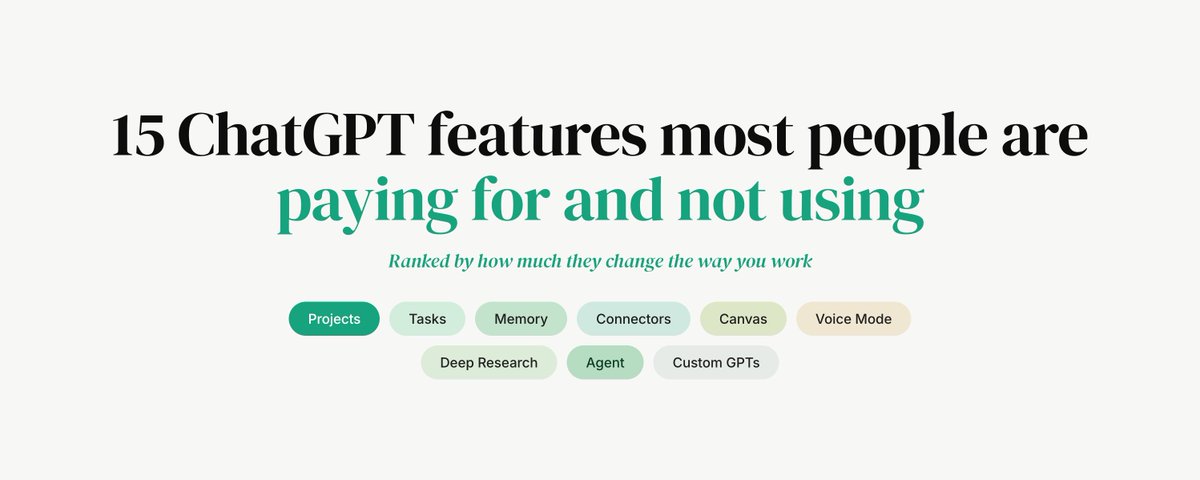
## 課金しているのに使っていないChatGPTの機能15選
ほとんどの人は、ChatGPTをより賢いGoogle検索として使っています。
新しいチャットを開く。質問を入力する。回答をコピーする。タブを閉じる。
これが当てはまるなら、あなたは支払い金額の約10%しか使えていません。
以下は、作業の仕方をどれだけ変えるかで順位付けした15の機能です。月$20または月$200を払っているほとんどの人が、一度も触れたことがないものです。
---
### 1. Projects
ChatGPTで最も使われていない機能です。
Projectは永続的なワークスペースです。その中のすべての会話は、同じ指示・同じファイル・同じコンテキストを永続的に共有します。毎セッションで自分の説明をやり直す必要がありません。
「私はSaaSを運営していて、オーディエンスは創業者で、ブランドボイスは……」と新しいチャットで入力したことがあるなら、それはProjectを設定していないサインです。
取り組むものごとに一つ作ってください。あなたのスタートアップ。コンテンツ。コード。ChatGPTはあなたが一文字も入力する前に、あなたが誰かを正確に知っています。
すべてのProject内で、すべての会話で自動的に実行される指示を設定し、参照ドキュメントを毎回貼り付けるのではなく一度だけアップロードします。
```bash
"You are an expert copywriter.
I run an AI agency.
My audience is founders.
Always write in a direct, punchy style.
No em dashes. No fluff."
```
一度書けば、もう自分の説明は不要です。
---
### 2. Custom Instructions
Settings > Personalization > Customize ChatGPT。
Projectの指示と同じ考え方ですが、開くすべてのチャットに適用されます。どのように書くか・何をしているか・何が不要かを一度伝えれば、以降はどこでも適用されます。
ほとんどの人はここを空欄のままにしています。入力した少数の人は、明らかに異なるモデルを体験しています。
---
### 3. Memory
Settings > Personalization > Memory。
ChatGPTはあなたについての実行中のノートブックを保持します。あなたのプロジェクト・スタイル・好み・修正したこと。一週間後には、あなたが何をしているかを聞かなくなります。
ノートブックを読んで編集することもできます。ChatGPTがあなたについて何を知っているかを正確に確認できます。修正もできます。
ほとんどの人はこれを無視しています。使っている少数の人は、リセットされるのではなく学習するモデルを手に入れています。
---
### 4. Tasks
cronで任意のプロンプトをスケジュール実行します。
- 「毎週月曜8時に、AIエージェントの新着情報をまとめてメールで送る」
- 「毎平日7時に、暗号資産の夜間ニュースを3箇条で簡単にまとめる」
- 「毎月1日に、このProjectのテンプレートを使ってニュースレターを下書きする」
アカウント内で自動実行されます。指定した場所に届きます。
---
### 5. Connectors
More > Apps。
ChatGPTをあなたのツールに接続します。Gmail・Calendar・Google Drive・GitHub・Slack・Notion・SharePoint・OneDrive・Linear。
- 「このクライアントからの価格について話したメールをすべて見つけて」
- 「明日のカレンダーで準備が終わっていないものは?」
- 「このリポジトリの最新のREADMEを取得して、何が変わったか教えて」
これは半年前はAPIプロジェクトでした。今は設定です。
---
### 6. Custom GPTs
2分で独自のアシスタントを構築します。
システムプロンプト・アップロードしたファイル・カスタムアクション。あなた専用・リンクで共有可能・GPTストアに公開のどれでも。
新しいチャットに毎回同じセットアッププロンプトを入力するのをやめましょう。自分がどのように働くかをすでに知っているCustom GPTを作ってください。
---
### 7. Data Analysis
ChatGPTはサンドボックス内でPythonを実行します。
CSVをドロップして、パターンを見つけるよう指示します。コードを書きます。実行します。チャート・テーブル・サマリーを表示します。
- 「月別に収益をプロットして、製品別に色付けして」
- 「チャーンが5%を超えた行だけ見せて」
- 「来四半期の予測を作って」
これはExcel作業の午後を丸ごと置き換えます。ほとんどの人はそこにあることを知りません。
---
### 8. Canvas
チャットボックスは2,000文字のドキュメントを編集するのに間違ったUIです。
Canvasはインライン編集・特定の段落の修正依頼・バージョン追跡ができるサイドパネルを開きます。会話が一方に、ドキュメントが他方に。
チャットウィンドウの中でツイート以上の長さのものを書いているなら、間違ったツールを使っています。
---
### 9. Voice Mode
リアルタイムで割り込み可能な音声会話。スマートフォンを何かに向けて質問できます。
歩いているとき、考えているときに、スマートフォンで使います。声に出してブレインストーミングするために使います。アイデアを話しながらプレゼンの準備をするために使います。
レイテンシーはAIに期待するレベルを下回っています。ほとんどの人は使ったことがありません。ずっとアプリの中にあったのに。
---
### 10. ChatGPT Search
ChatGPTはリアルタイムでライブウェブにアクセスできます。
今日起きたことについて質問できます。先週ローンチした競合を調査できます。現在の価格を取得できます。最新のドキュメントを確認できます。
デフォルトのモデルはスナップショットで学習しています。Searchは今日を使います。
---
### 11. Deep Research
50以上のソースにわたる10〜30分のブラウジング実行。引用付きの構造化されたレポートを出力します。
賢く見える必要があるミーティングの前に使います。会議室の誰よりも多くを知る必要があるピッチの前に使います。1時間の作業以上の価値がある意思決定の前に使います。
これはワンクリックでリサーチチームの成果物です。
---
### 12. Agent
ChatGPTがブラウザを操作します。
- 「オフィスから10分以内で$40以下のイタリアンを、午後8時前に2名で予約して」
- 「来月の最初の週に、JFKからLISへの最も安い直行便を見つけて」
- 「会社の求人ページを開いて、シニアPMの役職をすべて見つけて、スプレッドシートに入れて」
クリックします。フォームを埋めます。タスクを完了します。
---
### 13. GPT-5 Thinking
デフォルトは高速です。Thinking modeは答える前に実際に推論します。
間違った答えがコストのかかる場面では、モデルピッカーでGPT-5 Thinkingに切り替えてください。戦略的な意思決定・複雑なデバッグ・法的または財務的な分析・遅くて正しい答えが速くて間違った答えよりも優れているあらゆる場面で。
出力は明らかに優れています。コストは数秒余分にかかるだけです。
ほとんどの人は高速モデルをデフォルトにして、切り替えることなく使っています。品質の差は本物です。
---
### 14. Image generation
DALL-Eが組み込まれています。
「画像を生成して……」と入力すれば画像が得られます。追加のサブスクリプションは不要です。別のアプリも不要です。
ほとんどの人は、ChatGPTがすでに行うことのためにMidjourney・Runway・GeminiをChatGPTに追加して支払っています。
---
### 15. Temporary Chat
チャットの右上にあります。
履歴に保存されません。メモリを更新しません。保持されません。センシティブなプロンプト・使い捨ての質問・モデルのノートブックに影響を与えたくないものすべてに使います。
---
AIで勝っている人たちは、より良いモデルを使っているわけではありません。2つの機能ではなく15の機能で同じモデルを使っています。
ChatGPTAI活用生産性向上claude-workflow
課金しているのに使っていないChatGPTの機能15選——あなたは10%しか使えていない
371
原文を表示 / Show original
Sharbel
@sharbel
15 ChatGPT features most people are paying for and not using
7
2
37
18K
Most people use ChatGPT like a smarter Google search.
They open a new chat. Type a question. Copy the answer. Close the tab.
If that sounds familiar, you're using about 10% of what you're paying for.
Here are 15 features ranked by how much they change the way you work, and most people paying $20 or $200 a month have never touched them.
1. Projects
The single most underused feature in ChatGPT.
A Project is a persistent workspace. Every conversation inside it shares the same instructions, the same files, and the same context, permanently. You don't re-explain yourself every session.
If you've ever opened a new chat and typed "okay so I run a SaaS, my audience is founders, and my brand voice is..." that's a sign you don't have a Project set up.
Create one for each thing you work on. Your startup. Your content. Your code. ChatGPT will know exactly who you are before you type a word.
Inside every Project you set instructions that run automatically on every conversation, and you upload reference docs once instead of pasting them every time.
bash
"You are an expert copywriter.
I run an AI agency.
My audience is founders.
Always write in a direct, punchy style.
No em dashes. No fluff."
You write it once. You never explain yourself again.
2. Custom Instructions
Settings > Personalization > Customize ChatGPT.
The same idea as Project instructions, but applied to every chat you open. Tell it once how you write, what you do, what you don't want. Applied everywhere after that.
Most people leave this empty. The few who fill it get a noticeably different model.
3. Memory
Settings > Personalization > Memory.
ChatGPT keeps a running notebook on you. Your projects, your style, your preferences, the things you've corrected it on. After a week it stops asking what you do for a living.
It also lets you read and edit the notebook. You see exactly what it knows about you. You can correct it.
Most people ignore this. The few who use it get a model that learns instead of resets.
4. Tasks
Schedule any prompt to run on a cron.
"Every Monday 8am, summarize what's new in AI agents and email it."
"Every weekday 7am, give me a 3-bullet brief on overnight crypto news."
"On the 1st of every month, draft my newsletter using the template in this Project."
Runs automatically in your account. Lands wherever you tell it to land.
5. Connectors
More > Apps.
Connect ChatGPT to your tools. Gmail. Calendar. Google Drive. GitHub. Slack. Notion. SharePoint. OneDrive. Linear.
"Find every email from this client where we discussed pricing."
"What's on my calendar tomorrow that I haven't prepped for?"
"Pull the latest README from this repo and tell me what changed."
This was an API project six months ago. Now it's a setting.
6. Custom GPTs
Build your own assistant in two minutes.
System prompt. Uploaded files. Custom actions. Private to you, sharable with a link, or published to the GPT store.
Stop typing the same setup prompt into a fresh chat every time. Build a Custom GPT that already knows how you work.
7. Data Analysis
ChatGPT runs Python in a sandbox.
Drop a CSV and ask it to find the patterns. It writes the code. Executes it. Shows you the chart, the table, the summary.
"Plot revenue by month, color by product."
"Show me only the rows where churn exceeded 5%."
"Build a forecast for the next quarter."
This replaces a full afternoon of Excel work. Most people don't know it's there.
8. Canvas
The chat box is the wrong UI for editing a 2,000-word doc.
Canvas opens a side panel where you can edit inline, ask it to revise specific paragraphs, and track versions. The conversation lives on one side. The document lives on the other.
If you're writing anything longer than a tweet inside a chat window, you're using the wrong tool.
9. Voice Mode
Real-time, interruptible voice conversation. Point your phone at something and ask about it.
Use it on your phone while you're walking, or thinking. Use it to brainstorm out loud. Use it to prep for a presentation by talking through your ideas.
The latency is below what your brain expects from an AI. Most people have never used it. It's been sitting in the app this entire time.
10. ChatGPT Search
ChatGPT can hit the live web in real time.
Ask about something that happened today. Research a competitor that launched last week. Pull current pricing. Check the latest documentation.
The default model trains on a snapshot. Search uses today.
11. Deep Research
A 10 to 30 minute browsing run across 50+ sources. Outputs a structured report with citations.
Use it before any meeting where you need to look smart. Use it before any pitch where you need to know more than the room. Use it before any decision worth more than an hour of work.
This is research-team output for a single click.
12. Agent
ChatGPT runs a browser for you.
"Book me a table for two at any Italian place under $40 within 10 minutes of my office, before 8pm."
"Find the cheapest direct flight from JFK to LIS in the first week of next month."
"Open the company's job board, find every senior PM role, and put them in a sheet."
It clicks through. It fills forms. It completes the task.
13. GPT-5 Thinking
The default is fast. Thinking mode actually reasons before answering.
Switch to GPT-5 Thinking in the model picker when the wrong answer is expensive. Strategy decisions. Complex debugging. Legal or financial analysis. Anything where a slow right answer beats a fast wrong one.
The output is noticeably better. The cost is a few extra seconds.
Most people default to the fast model and never switch. The difference in quality is real.
14. Image generation
DALL-E is built in.
Type "generate an image of..." and you get an image. No separate subscription. No separate app.
Most people pay for Midjourney or Runway or Gemini on top of ChatGPT for things ChatGPT already does.
15. Temporary Chat
Top right of any chat.
Doesn't save to history. Doesn't update memory. Doesn't get retained. For sensitive prompts, throwaway questions, or anything you'd rather not have shaping the model's notebook on you.
The people winning with AI aren't using a better model. They're using the same model with 15 features instead of 2.
If you found this useful, follow me @sharbel on X.
And if you run a business, we build content systems for founders that attract the right audience and convert it into revenue. If you want these systems installed for you, book a call with us at FounderFunnel.com.
Want to publish your own Article?
Upgrade to Premium
10:42 PM · Apr 21, 2026
·
18K
Views
7
2
37
81
Read 7 replies