
記事一覧へ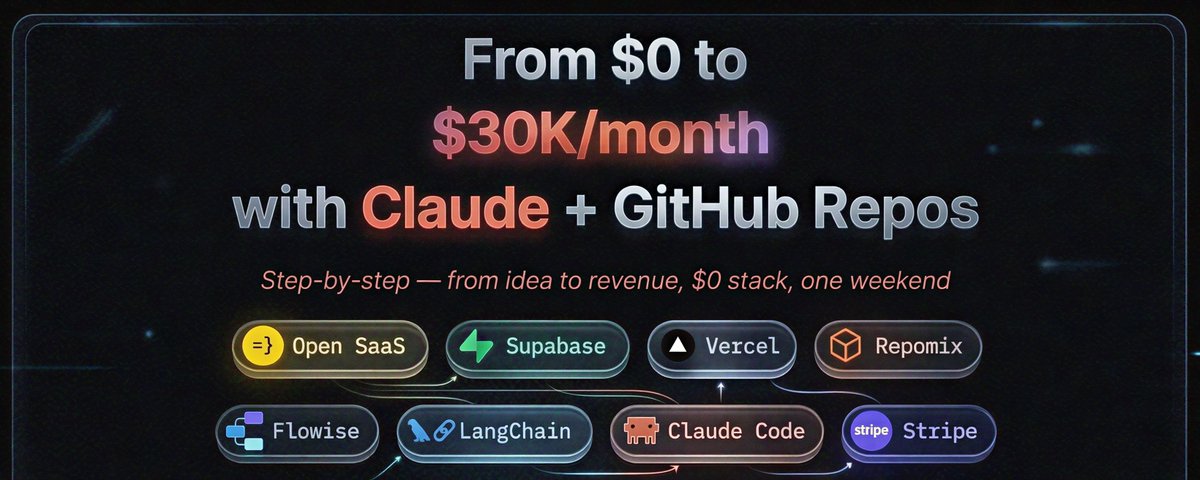
月収ゼロから月収$30Kへ:Claudeでプロダクトをローンチするステップバイステップガイド
18
60
245
300K
チームがなければプロダクトをローンチできないと未だに思っている人がほとんどです。
2026年、その考えは完全に時代遅れです。
あるソロファウンダーはシンプルなマイクロプロダクトで月収$30Kにスケールしました。
別の人は$40Kの仕事を辞めて8ヶ月で月収$30Kを達成しました。
ここに正確なステップバイステップのシステムを紹介します — ツール、コマンド、GitHubリポジトリも含めて。
🚀 ステップ1:インフラを構築しない(ここで時間を無駄にする人が多い)
初心者が始めようとするとき、こういったものを構築しようとします:
ログイン/サインアップシステム
決済統合
ダッシュボード
メールシステム
これだけで最低2〜3週間かかります
でもこれらはあなたの実際のプロダクトではありません。
代わりに、既製の基盤を使いましょう:
👉 Open SaaS
🔗 https://github.com/wasp-lang/open-saas
wasp new my-product -t saas
これが実際にすること:
完全なSaaSアプリを生成してくれます。
即座に以下が手に入ります:
ログインシステム(Google、GitHubなど)
決済システム(すでに接続済み)
ランディングページ(ユーザーがサインアップできる)
管理パネル(ユーザー管理用)
ファイルアップロードシステム
💡 なぜこれが重要か:
Day 1から実際のアイデアの構築を始められます。
⚡ ステップ2:データベースをセットアップする(わかりやすく説明)
すべてのアプリにはデータを保存する必要があります:
ユーザー
決済
コンテンツ
サーバーを管理する代わりに、以下を使いましょう:
👉 Supabase
🔗 https://github.com/supabase/supabase
npx supabase init
npx supabase start
Supabaseが提供するもの:
データベース(PostgreSQL)
認証(バックアップシステム)
ファイルストレージ(画像、ドキュメント)
アプリ用に自動生成されるAPI
💡 わかりやすい説明:
コードを書かなくていい既製バックエンドのようなものです
🧠 ステップ3:AIがあなたのプロジェクトを実際に理解するようにする
多くの人がこう言います:
「AIは良いコードを書かない」
本当の問題は:
👉 AIがあなたのプロジェクト全体を見ていないこと
以下で解決:
👉 Repomix
🔗 https://github.com/yamadashy/repomix
npx repomix
何をするか:
プロジェクト全体をAIが読めるフォーマットに統合します
トークン使用量を削減します
Claudeに完全なコンテキストを提供します
💡 結果:
Claudeがあなたのアプリに実際に合ったコードを書けるようになります
🧩 ステップ4:すべてをGoogle検索する代わりに「スキル」を使う
通常なら:
ドキュメントを読む
チュートリアルを見る
何時間もデバッグする
代わりに、構築済みのAIスキルを使いましょう:
👉 Anthropic Skills
🔗 https://github.com/anthropics/skills
👉 Awesome Agent Skills
🔗 https://github.com/VoltAgent/awesome-agent-skills
「スキル」とは何か:
Claudeはすでにこれらの方法を知っています:
決済の統合(Stripe)
アプリのデプロイ(Vercel)
データベースの設計(Supabase)
💡 シンプルなアイデア:
すべてを学ぶ代わりに → AIに委託する
🤖 ステップ5:AI機能を追加する(これがあなたのアドバンテージ)
今日、多くのアプリは同じです。
AIこそがあなたのものを際立たせます。
シンプルなところから始めましょう:
👉 Flowise
🔗 https://github.com/FlowiseAI/Flowise
npx flowise start
構築できるもの:
プロダクト用AIチャットボット
ドキュメントアシスタント
カスタマーサポートボット
より高度な機能のために:
👉 LangChain
🔗 https://github.com/langchain-ai/langchain
pip install langchain
langchain
💡 例:
通常のSaaS = 月収$2K
同じSaaS + AI = 月収$50Kのポテンシャル
💸 ステップ6:ローンチして収益を上げる
アプリをデプロイ:
👉 Vercel
npx vercel
決済をセットアップ:
👉 Stripe
シンプルな価格戦略:
月額$29のサブスクリプション
14日間無料トライアル
オプションの一時払い
💡 ユーザーが支払うまであなたは何も払いません。
🧱 フルセットアップ(シンプルな見方)
Open SaaS → アプリ構造
Supabase → データベース
Claude → コードを書く
Repomix → コンテキストを提供
Flowise → AI機能
Vercel → デプロイ
Stripe → 決済
🧮 これが大きなシフトである理由
以前(2020年):
開発者が必要
$10K+の投資
3〜6ヶ月
今(2026年):
ソロビルダー
月約$20
1〜2週間
📈 月収$10Kへの道
数百万ユーザーは必要ありません。
ただ:
100ユーザー × $29 = $2,900
200ユーザー × $29 = $5,800
350ユーザー × $29 = 月収$10K
💡 一つの本物の問題を解決することに集中する
🧠 本当の戦略(最も重要な部分)
小さくて痛みを伴う問題を見つける
最もシンプルな解決策を構築する
素早くローンチする(完璧を待たない)
最初の有料ユーザーを獲得する
フィードバックに基づいて改善する
🔥 最後に
難しい部分はもはや構築することではありません。
難しいのは:
問題を選ぶこと
そして実際に始めること
ソロ起業SaaS構築Claude Code活用business-model
月収ゼロから月収$30Kへ:Claudeでプロダクトをローンチするステップバイステップガイド
24554
原文を表示 / Show original
From $0 to $30K/month - step by step guide on how to launch your product with Claude
18
60
245
300K
Most people still think you need a team to launch a product.
In 2026, that belief is completely outdated.
One solo founder scaled to $30K/month with simple micro-products.
Another quit his $40K job and hit $30K/month in 8 months.
Here’s the exact step-by-step system — tools, commands, and GitHub repos included.
🚀 Step 1: Don’t build infrastructure (this is where people waste time)
When beginners start, they try to build:
login/signup system
payment integration
dashboard
email system
This takes 2–3 weeks minimum
But none of this is your actual product.
Instead, use a ready-made foundation:
👉 Open SaaS
🔗 https://github.com/wasp-lang/open-saas
wasp new my-product -t saas
What this actually does:
It generates a complete SaaS app for you.
You instantly get:
Login system (Google, GitHub etc.)
Payment system (already wired)
Landing page (so users can sign up)
Admin panel (to manage users)
File upload system
💡 Why this matters:
You start building your actual idea on Day 1.
⚡ Step 2: Set up your database (in simple terms)
Every app needs to store data:
users
payments
content
Instead of managing servers, use:
👉 Supabase
🔗 https://github.com/supabase/supabase
npx supabase init
npx supabase start
What Supabase gives you:
A database (PostgreSQL)
Authentication (backup system)
File storage (images, docs)
APIs auto-created for your app
💡 Simple explanation:
It’s like a ready-made backend you don’t have to code
🧠 Step 3: Make AI actually understand your project
Most people say:
“AI gives bad code”
The real problem:
👉 AI doesn’t see your whole project
Fix it with:
👉 Repomix
🔗 https://github.com/yamadashy/repomix
npx repomix
What it does:
Combines your entire project into one AI-readable format
Reduces token usage
Gives full context to Claude
💡 Result:
Claude writes code that actually fits your app
🧩 Step 4: Use “skills” instead of Googling everything
Normally, you would:
read docs
watch tutorials
debug for hours
Instead, use prebuilt AI skills:
👉 Anthropic Skills
🔗 https://github.com/anthropics/skills
👉 Awesome Agent Skills
🔗 https://github.com/VoltAgent/awesome-agent-skills
What “skills” mean:
Claude already knows how to:
integrate payments (Stripe)
deploy apps (Vercel)
design databases (Supabase)
💡 Simple idea:
Instead of learning everything → you delegate to AI
🤖 Step 5: Add AI features (this is your advantage)
Today, many apps are identical.
AI is what makes yours stand out.
Start simple:
👉 Flowise
🔗 https://github.com/FlowiseAI/Flowise
npx flowise start
What you can build:
AI chatbot for your product
Document assistant
Customer support bot
For more advanced features:
👉 LangChain
🔗 https://github.com/langchain-ai/langchain
pip install langchain
langchain
💡 Example:
A normal SaaS = $2K/month
Same SaaS + AI = $50K/month potential
💸 Step 6: Launch and start earning
Deploy your app:
👉 Vercel
npx vercel
Set up payments:
👉 Stripe
Simple pricing strategy:
$29/month subscription
14-day free trial
Optional one-time deal
💡 You don’t pay anything until users pay you.
🧱 Full setup (simple view)
Open SaaS → app structure
Supabase → database
Claude → writes code
Repomix → gives context
Flowise → AI features
Vercel → deploy
Stripe → payments
🧮 Why this is a big shift
Before (2020):
Needed developers
$10K+ investment
3–6 months
Now (2026):
Solo builder
~$20/month
1–2 weeks
📈 How you reach $10K/month
You don’t need millions of users.
Just:
100 users × $29 = $2,900
200 users × $29 = $5,800
350 users × $29 = $10K/month
💡 Focus on solving one real problem
🧠 The real strategy (most important part)
Find a small painful problem
Build the simplest solution
Launch fast (don’t wait for perfect)
Get first paying users
Improve based on feedback
🔥 Final thought
The hard part is no longer building.
It’s:
choosing a problem
and actually starting