
記事一覧へ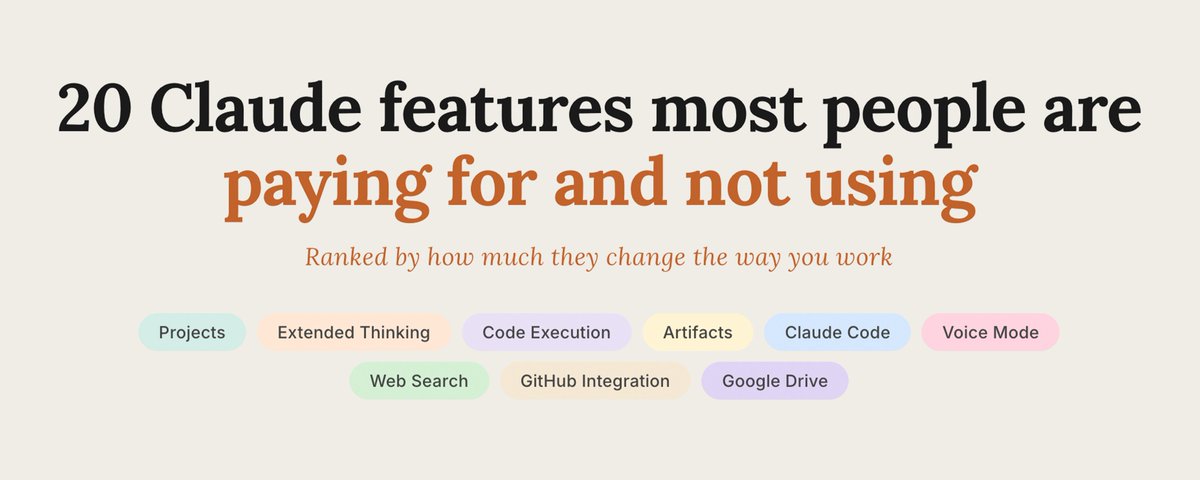
20 Claudeの機能——ほとんどの人が課金しながら使っていないもの
ほとんどの人は、Claudeをより賢いGoogle検索のように使っている。
新しいチャットを開いて、質問を入力して、回答を得て、タブを閉じる。
それが自分のことだと思うなら、あなたは課金している機能の10%しか使っていない。
以下は、仕事のやり方を変えるインパクト順に並べた20の機能だ。月に$20や$100を払っているほとんどの人が、一度も触れたことがない。
ほとんどの人が飛ばしている基本機能
1. Projects(プロジェクト)
Claudeで最も使われていない機能。
Projectとは、永続的なワークスペースだ。その中のすべての会話が、同じコンテキスト、同じファイル、同じ指示を永続的に共有する。セッションのたびに自己紹介し直す必要がない。
「SaaSアプリを作っていて、スタックは……」と新しいチャットを開くたびに入力しているなら、それはProjectが設定されていないサインだ。
取り組んでいることごとにProjectを作れ。あなたのスタートアップ、コンテンツ、コード。Claudeは一言入力する前から、あなたが誰かを知っている。
2. プロジェクトごとのカスタム指示
すべてのProjectの中で、すべての会話に自動で実行されるシステムプロンプトを設定できる。
「あなたはコピーライターの専門家です。私は暗号マーケティングエージェンシーを運営しています。対象読者はファウンダーです。常に直接的でパンチのあるスタイルで書いてください。ダッシュなし、装飾なし。」
一度書けば、二度と説明しなくていい。
これがClaudeがあなたらしく聞こえるか、プレスリリースのように聞こえるかの違いだ。
3. プロジェクトファイル
ドキュメントをProjectにアップロードすれば、そこに残り続ける。
ブランドガイドライン、スタイルガイド、プロダクト仕様書、競合調査。Claudeはすべてのセッションの冒頭で自動的に読み込む。
コンテキストをコピペするのをやめろ。一度アップロードするだけでいい。
誰も話さないパワー機能
4. Extended Thinking(拡張思考)
回答する前にClaudeが問題を実際に推論するトグルがあることを、ほとんどの人は知らない。
本当の判断が必要なもの——戦略的意思決定、複雑なデバッグ、法的・財務分析、素早い間違いより遅い正解が重要なもの——には必ずオンにしろ。
出力は明らかに良くなる。代償は数秒の待ち時間だけだ。
5. コード実行
Claudeはコードを書くだけじゃない。実行する。
CSVを渡して「データを分析して」と頼めば、Pythonを書いて実行し、出力をチャットの中で見せてくれる——グラフ、テーブル、サマリーすべて。
Jupyterノートブックも、ローカル環境も、セットアップも不要だ。
データをアップロードして、質問して、答えを得る。
6. ファイルアップロード
PDF、スプレッドシート、画像、コードファイル、Wordドキュメント、PowerPoint。Claudeはすべて読める。
200ページの契約書を渡して「解約条項は何か?」と聞け。競合のピッチデッキを渡して「ポジショニングは何か?」と聞け。第1四半期の財務報告書を渡して「どこでマージンが落ちているか?」と聞け。
あなたは今までアップロードできたものをコピペしていた。
7. Vision(ビジョン)
任意の画像をチャットに直接貼り付けろ。
壊れたUIのスクショ、フィードバック用のモックアップ、説明のための図、分析するグラフ、転写するホワイトボード。
目で見えるものなら、Claudeで作業できる。
8. Web検索
Claudeはリアルタイムでインターネットにアクセスできる。
今日起きたことを調べろ。先週ローンチした競合を調査しろ。現在の価格を確認しろ。最新のドキュメントをチェックしろ。
デフォルトでは常にオンではない——ツールバーの検索アイコンを探して有効になっているか確認しろ。
明らかに作業が速くなる機能
9. Artifacts(アーティファクト)
Claudeが何か——グラフ、ツール、計算機、ミニアプリ——を作ると、会話の横にライブプレビューパネルで表示される。
どこかにコピーしなければいけないコードブロックではない。機能するものが、そこにある。
すべてのアーティファクトには共有可能なリンクがついている。スクショの代わりにライブ計算機をクライアントに送れ。説明文の代わりに動くツールを共有しろ。
10. データ分析モード
スプレッドシートをアップロードして、Claudeにパターンを見つけさせる、異常を検出させる、ビジュアライゼーションを作らせる。
コードを実行して、結果を見せて、反復させる。
「月別に分解して。」
「チャーンが5%を超えた行だけ見せて。」
「これの棒グラフを作って。」
これで私はExcel作業の丸一午後分を置き換えた。
11. ファイル作成
Claudeはチャットから直接、ダウンロード可能なファイル——PDF、スプレッドシート、スライドなど——を生成できる。
「このアウトラインをフォーマットされたPDFにして。」
「これらの列でCSVを生成して。」
「これらの箇条書きからプレゼンデッキを作って。」
手動でフォーマットしなければいけないテキストではなく、実際のファイルが手に入る。
12. 音声モード
Claudeと話せ。ただのディクテーションじゃない、完全な会話のキャッチボールだ。
運転中、歩行中、考え中にスマホで使え。声に出してブレインストームしろ。話しながらアイデアを整理してプレゼン準備をしろ。
ほとんどの人は一度も使ったことがない。ずっとアプリの中にあったのに。
誰も設定しないインテグレーション
13. GitHubインテグレーション
リポジトリを接続すれば、Claudeはあなたが貼り付けたスニペットではなく、実際のコードベースを読む。
馴染みのないモジュールを説明させろ。PRをレビューさせろ。バグの原因を探させろ。断片ではなく、本物のコンテキストがある。
14. Google Drive
Driveを接続すれば、Claudeはドキュメントを直接コンテキストに取り込める。
Google DocumentをコピーしてチャットにペーストするのはもうおしまいだEmoji。ドキュメントを指さして、質問するだけだ。
15. Zapierとツールインテグレーション
Claudeは、Zapier、JIRA、Intercomや増え続けるツールのリストに、インターフェースの中で直接接続できる。
APIの作業は不要だ。設定で一度セットアップするネイティブな接続だ。Claudeはその後ワークフローをトリガーし、チケットを確認し、実際のツール内のデータに対応できる。
Max限定の機能
16. Claude Code(Maxに含まれる)
Claude Codeは、コードベースを読んでタスクを計画し、一行もコードを書かずに変更を出荷するターミナルエージェントだ。
Maxサブスクリプションに含まれている。完全に別製品だ。ほとんどのMaxサブスクライバーはその存在を知らない。
npm install -g @anthropic-ai/claude-codeでインストールしろ。任意のプロジェクトディレクトリでclaudeを実行しろ。平易な英語でタスクを与えろ。
17. 1つのサブスクリプションで複数モデル
モデルごとに払わない。Maxに払えば、同じインターフェースでSonnet、Haiku、Opusにアクセスできる。
速くて安いタスクにはHaikuを使え。ほとんどの作業にはSonnetを使え。本当に解決しなければならない問題にはOpusを使え。
ほとんどの人は一つのモデルをデフォルトにして切り替えない。品質とコストの差は大きい。
18. 新機能への優先アクセス
新モデルと機能はMatterMaxに最初に届く——ProよりもFreeよりも先に。
Claude 4がリリースされたとき、Maxユーザーは他の誰よりも数日早く入手した。新機能がローンチされるとき、あなたは競合より先に持っている。
より多くの使用量のためだけに払っているのではない。最初になるために払っている。
ほとんどの人が身につけない習慣
19. トピックを変えたら新しいチャットを始める
コンテキストは有限だ。会話が積み重なるにつれ、Claudeの品質は測定可能なほど下がる。
重要な指示が埋もれる。クリーンなウィンドウではしないようなミスをモデルが始める。ほとんどの人はモデルのせいにする。実際にはワークフローのせいだ。
対処法:新しいトピックには新しいチャット。毎回。2秒で終わり、品質の差は本物だ。
20. アーティファクトをリンクとして共有する
Claudeが作るすべてのアーティファクト——ツール、計算機、グラフ——には公開リンクがある。
出力をスクショして静止画像として送る代わりに、ライブリンクを送れ。クライアントはそれを操作できる。コラボレーターはそれを探索できる。そのものが実際に動く。
ほとんどの人は何でもスクショする。シェアボタンがそこにあるのに。
まとめ
AIで勝っている人たちはより良いモデルを使っているわけではない。2つではなく20の機能を使って同じモデルを使っている。
claude-setupclaude-workflowclaude-featuresproductivity
課金しながら使っていないClaude 20の機能
1,199104
原文を表示 / Show original
20 Claude features most people are paying for and not using
Most people use Claude like a smarter Google search.
They open a new chat. Type a question. Get an answer. Close the tab.
If that sounds familiar, you're using about 10% of what you're paying for.
Here are 20 features ranked by how much they change the way you work, and most people paying $20 or $100 a month have never touched them.
The basics most people skip
1. Projects
The single most underused feature in Claude.
A Project is a persistent workspace. Every conversation inside it shares the same context, the same files, and the same instructions, permanently. You don't re-explain yourself every session.
If you've ever opened a new chat and typed "okay so I'm working on a SaaS app and the stack is…" that's a sign you don't have a Project set up.
Create one for each thing you work on. Your startup. Your content. Your code. Claude will know exactly who you are before you type a word.
2. Custom Instructions per Project
Inside every Project, you set a system prompt that runs automatically on every conversation.
"You are an expert copywriter. I run a crypto marketing agency. My audience is founders. Always write in a direct, punchy style. No em dashes. No fluff."
You write it once. You never explain yourself again.
This is the difference between a Claude that sounds like you and a Claude that sounds like a press release.
3. Project Files
Upload your documents to a Project and they stay there.
Your brand guidelines. Your style guide. Your product spec. Your competitor research. Claude reads them automatically at the start of every session.
Stop copy-pasting context. Start uploading it once.
The power features nobody talks about
4. Extended Thinking
Most people don't know there's a toggle that makes Claude slow down and actually reason through a problem before answering.
Turn it on for anything that requires real judgment: strategy decisions, complex debugging, legal or financial analysis, anything where a fast wrong answer is worse than a slow right one.
The output is noticeably better. The cost is a few extra seconds.
5. Code Execution
Claude doesn't just write code. It runs it.
Drop a CSV and ask it to analyze the data. It'll write Python, execute it, and show you the output, charts, tables, summaries, all inside the chat.
No Jupyter notebook. No local environment. No setup.
Upload your data. Ask your question. Get your answer.
6. File Uploads
PDFs, spreadsheets, images, code files, Word docs, PowerPoints. Claude reads all of them.
Drop a 200-page contract and ask "what are the termination clauses?" Drop your competitor's pitch deck and ask "what's their positioning?" Drop your Q1 financial report and ask "where are we losing margin?"
You've been copy-pasting things you could've just uploaded.
7. Vision
Paste any image directly into the chat.
Screenshots of broken UIs. Mockups for feedback. Diagrams to explain. Charts to analyze. Whiteboards to transcribe.
If you can see it, Claude can work with it.
8. Web Search
Claude can access the internet in real time.
Ask about something that happened today. Research a competitor that launched last week. Pull current pricing. Check the latest documentation.
It's not always on by default, look for the search icon in the toolbar and make sure it's enabled.
The ones that make you noticeably faster
9. Artifacts
When Claude builds something, a chart, a tool, a calculator, a mini-app, it appears in a live preview panel next to the conversation.
Not a code block you have to copy somewhere. A working thing, right there.
Every artifact gets a shareable link. Send clients a live calculator instead of a screenshot. Share a working tool instead of a description.
10. Data Analysis Mode
Upload a spreadsheet and ask Claude to find patterns, flag anomalies, or build a visualization.
It'll execute code, show you the result, let you iterate.
"Now break it down by month."
"Show me only the rows where churn exceeded 5%."
"Build a bar chart of this."
This replaced a full afternoon of Excel work for me.
11. File Creation
Claude can generate downloadable files, PDFs, spreadsheets, slides, and more, directly from chat.
"Turn this outline into a formatted PDF."
"Generate a CSV with these columns."
"Create a presentation deck from these bullet points."
You get an actual file, not text you have to manually format.
12. Voice Mode
Talk to Claude. Full conversational back-and-forth, not just dictation.
Use it on your phone while you're driving, walking, thinking. Use it to brainstorm out loud. Use it to prep for a presentation by talking through your ideas.
Most people have never used it. It's been sitting in the app this entire time.
The integrations nobody sets up
13. GitHub Integration
Connect a repo and Claude reads your actual codebase, not a snippet you paste.
Ask it to explain an unfamiliar module. Ask it to review a PR. Ask it to find where a bug might originate. It has real context, not a fragment.
14. Google Drive
Connect your Drive and Claude can pull documents directly into context.
No more copying from a Google Doc and pasting into chat. Point at the document. Ask your question.
15. Zapier and Tool Integrations
Claude connects to Zapier, JIRA, Intercom, and a growing list of tools directly inside the interface.
This isn't API work. It's a native connection you set up once in settings. Claude can then trigger workflows, check tickets, and respond to data inside your actual tools.
The Max-specific things
16. Claude Code (included in Max)
Claude Code is a terminal agent that reads your codebase, plans tasks, and ships changes, without you writing a line of code.
It's included in the Max subscription. Completely separate product. Most Max subscribers don't know it exists.
Install it with npm install -g @anthropic-ai/claude-code. Run claude in any project directory. Give it a task in plain English.
17. Multiple Models in One Subscription
You don't pay per model. You pay for Max, and you get access to Sonnet, Haiku, and Opus in the same interface.
Use Haiku for fast, cheap tasks. Use Sonnet for most work. Use Opus for the problems that actually need to be solved right.
Most people default to one model and never switch. The difference in quality, and cost, is significant.
18. Priority Access to New Features
New models and features ship to Max first, before Pro, before free.
When Claude 4 dropped, Max users got it days before anyone else. When new capabilities launch, you have them before your competitors.
You're not just paying for more usage. You're paying to be first.
The habits most people never build
19. Start a New Chat Between Topics
Context is finite. As a conversation fills up, Claude's quality measurably decreases.
Important instructions get buried. The model starts making mistakes it wouldn't make with a clean window. Most people blame the model. It's actually the workflow.
The fix: new chat for new topic. Every time. It takes two seconds and the quality difference is real.
20. Share Artifacts as Links
Every artifact Claude builds, a tool, a calculator, a chart, gets a public link.
Instead of screenshotting the output and sending a static image, send the live link. Clients can interact with it. Collaborators can explore it. The thing actually works.
Most people screenshot everything. There's a share button right there.
The cheat sheet
The people winning with AI aren't using a better model. They're using the same model with 20 features instead of 2.