
記事一覧へ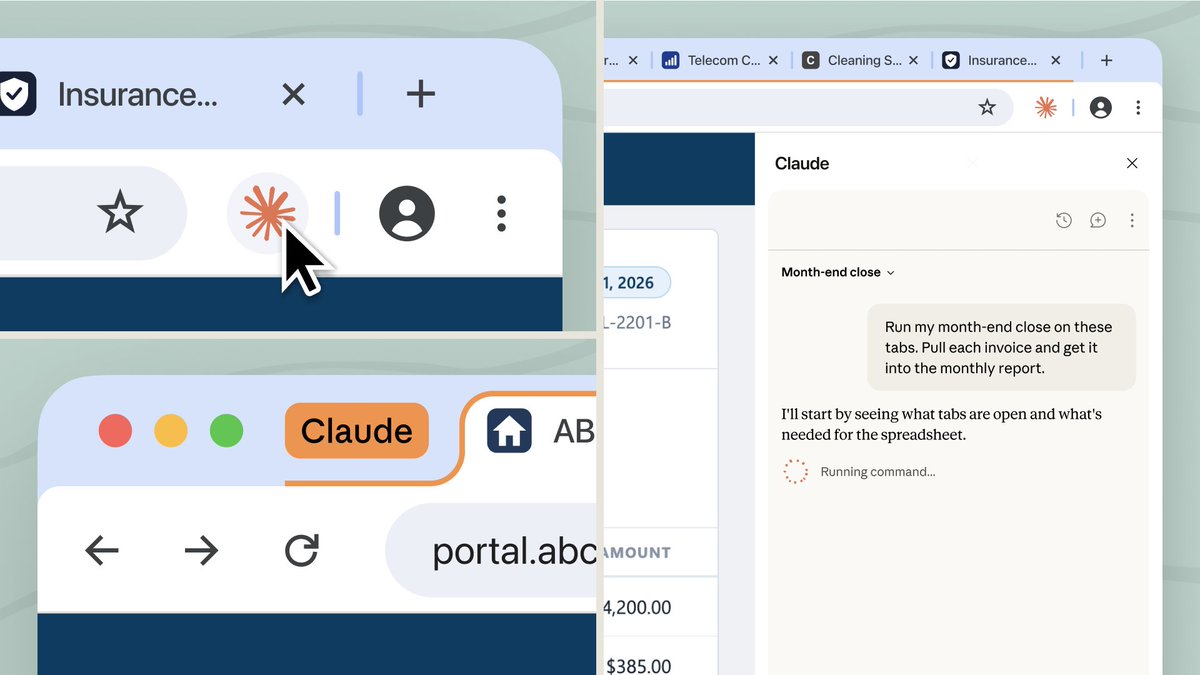
[1/3] Claude in Chrome のセッションが、デスクトップ、ウェブ、モバイルに引き継がれるようになりました。会話は保存され、スキルとコネクタもブラウザで使えます。
本日から Max と Team で利用でき、今後数週間で Pro にも順次提供されます。
[2/3] サイドパネルは、デスクトップ、ウェブ、モバイルアプリと同じ Claude Cowork のセッションを実行するようになりました。セッションは特定のデバイスではなくアカウントに紐づくため、タブで始めて、後で別の場所から続きを進められます。
ぜひお試しください: http://claude.com/chrome
[3/3] ブラウザエージェントは、ページに隠された指示にだまされることがあります。Anthropic はこれに対する防御を構築していますが、利用者ご自身でも、いくつかの習慣を心がけることをおすすめします: http://support.claude.com/en/articles/12902428-use-claude-in-chrome-safely
Claude in ChromeClaude Coworkclaude-workflow
Claude in Chrome のセッションをデスクトップ・ウェブ・モバイルへ引き継ぎ可能に
出典: Claude(@claudeai)さんの X の投稿を、日本語に翻訳して紹介しています。 原文はこちら ↗
11,8068562,7531,333,896
原文を表示 / Show original
[1/3] Your Claude in Chrome sessions now carry over to desktop, web, and mobile. Conversations are saved, and your skills and connectors work in the browser.
Available on Max and Team today, rolling out to Pro in the coming weeks.
[2/3] The side panel now runs the same Claude Cowork session as the desktop, web, and mobile apps. Sessions live with your account, not on any single device, so you can start in a tab and pick it up later somewhere else.
Give it a try: http://claude.com/chrome
[3/3] Browser agents can be tricked by instructions hidden in a page. We build defenses against this, and we still recommend a few habits of your own: http://support.claude.com/en/articles/12902428-use-claude-in-chrome-safely